F5 Application Delivery Controller Solutions > TMOS - Performance Tuning > Lab 1: Viewing Application Data Source | Edit on
Task 3: Use iRules To Log Traffic Data
If you do not have AVR provisioned and do not have the ablility to enable AVR since reprovisioning requires a full service restart on the BIG-IP, you can use iRules to log traffic data. In most cases, these iRules would be used temporarily as they have the potential for creating a lot of log traffic. With iRules you have flexibility on what you want to log and where you want to apply the logging. It is also possible to send logs to an external log collector. The iRules in the lab are only simple examples of what can be done and will only use local logging.
The traffic generated in the lab is not very complex nor a high number of client connections so the iRules shown won't have a lot of client-specific filtering that may be required in an environment with more traffic. You will create iRules and assign them to Virtual Server(s) then remove the iRule assignment after collecting the needed log data.
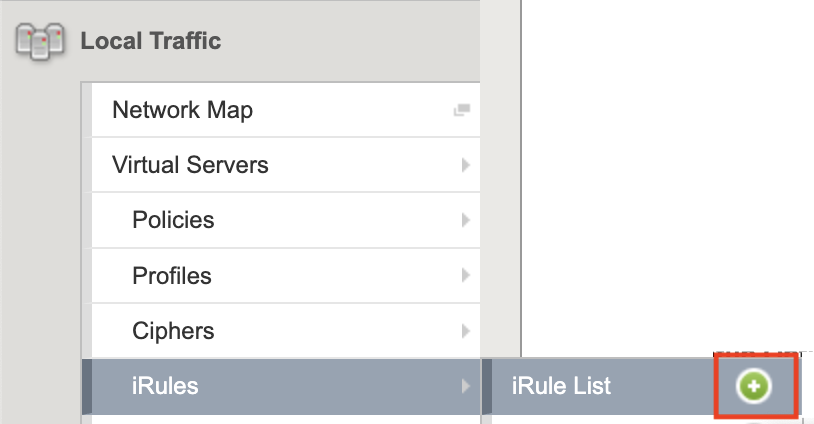
From the left menu, select Local Traffic > Virtual Servers > iRules > iRule List and click the '+' on the flyout to create a new iRule
Use lab_ContentLength_rule for the iRule name. This rule will log the content-length of the HTTP responses passing through the system. We will use this information later when tuning TCP profiles. You won't need to write down any of the specific sizes but just see what is happening - a lot of small, medium or large files. Is it a mix of different size files? Is is a lot of large files?
Note: For code blocks like in step 2 below, you can select the text and copy it or over the far right top corder of the box and Copy button will appear. Clicking the Copy button will select and copy all of the contents of the box to the clipboard.

Enter the following code to log HTTP content-length and the request URL to local LTM log (/var/log/ltm):
when HTTP_REQUEST {
  set reqURI [HTTP::uri]
}

when HTTP_RESPONSE {
  log local0. "Content-Length (Bytes): [HTTP::header value Content-Length] - URI: $reqURI"
}
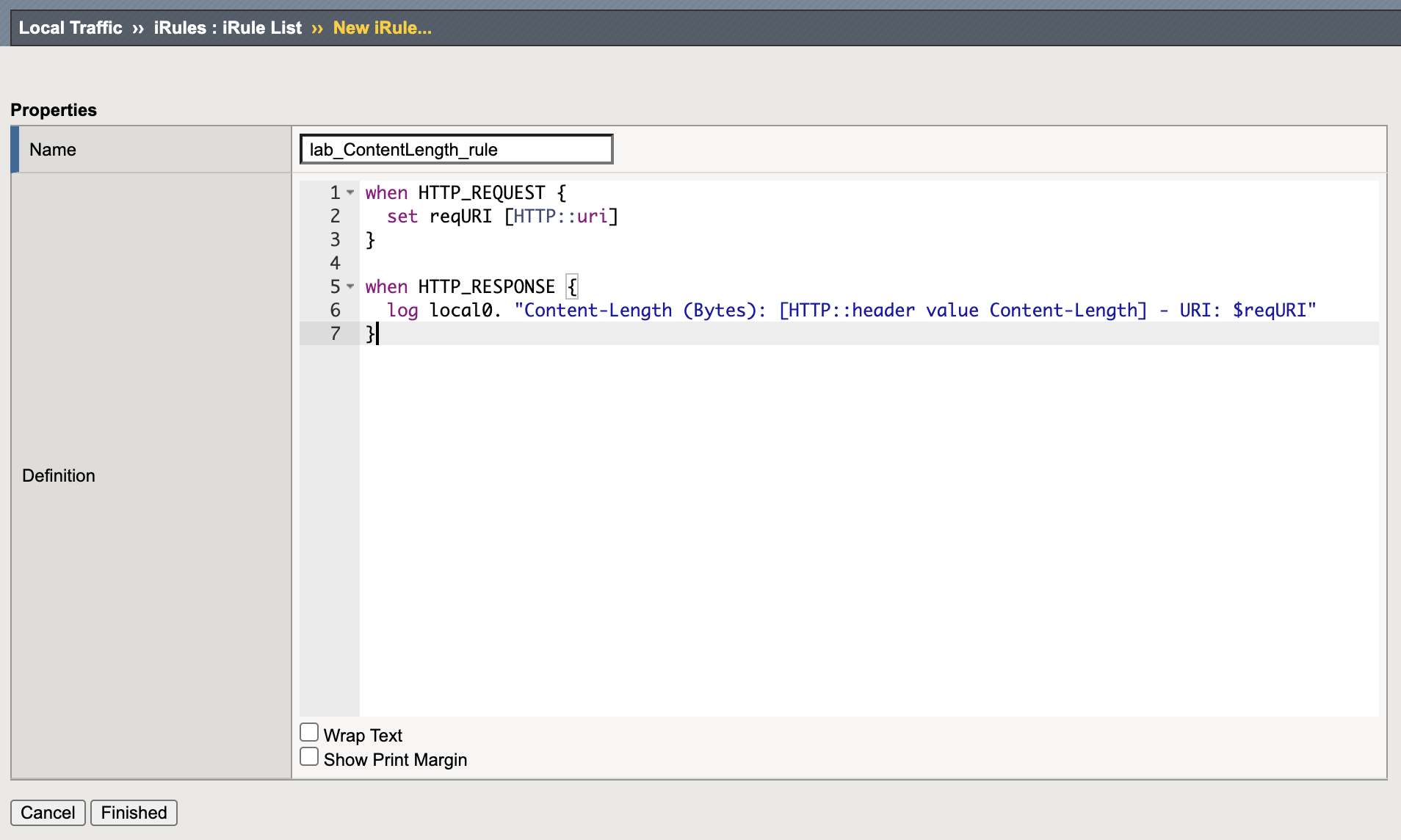
Click the Finished button at the bottom of the page to save the changes.
Assign New iRule to Virtual Server
From the left menu, select Local Traffic > Virtual Servers > Virtual Server List
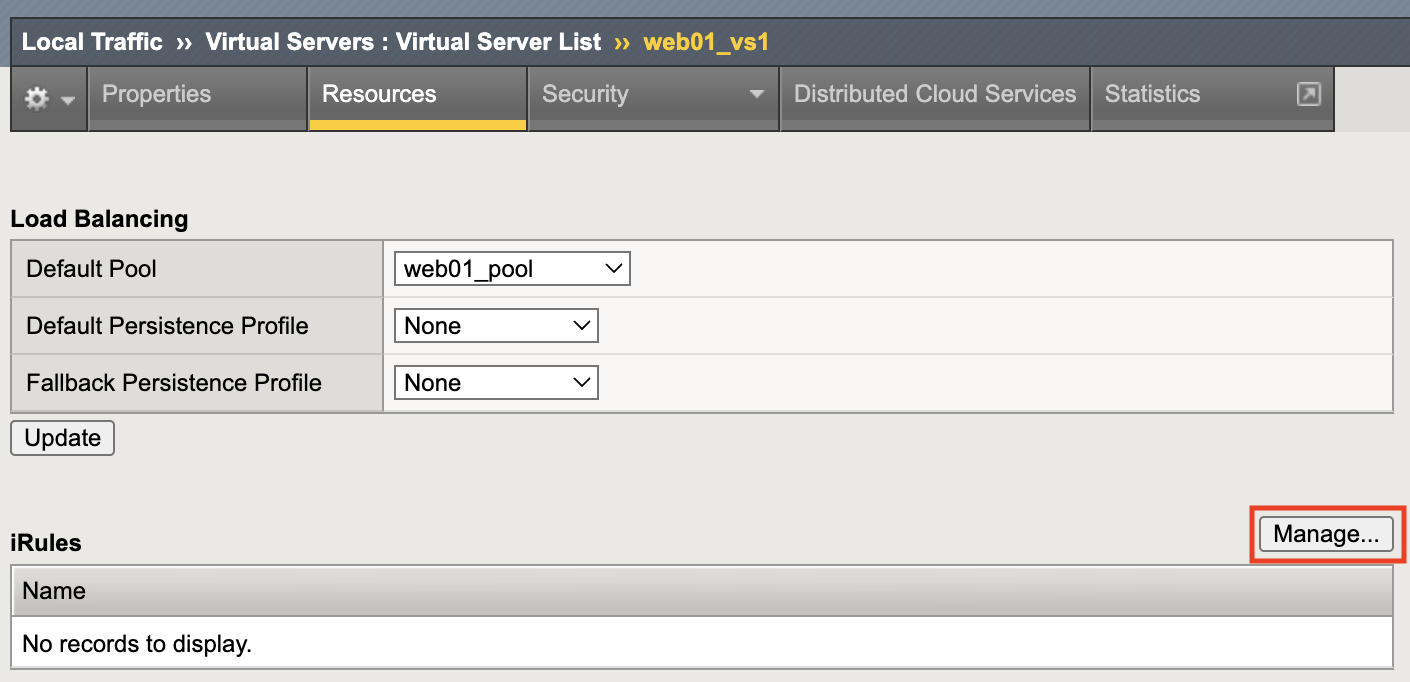
Click on web01_vs1 then go to the the Resources tab where the iRule will be assigned.

Click on the Manage button to the right of the iRule section
Select rule lab_ContentLength_rule from the list on the right the click the << button in the middle sectionto assign the iRule to the Virtual Server.
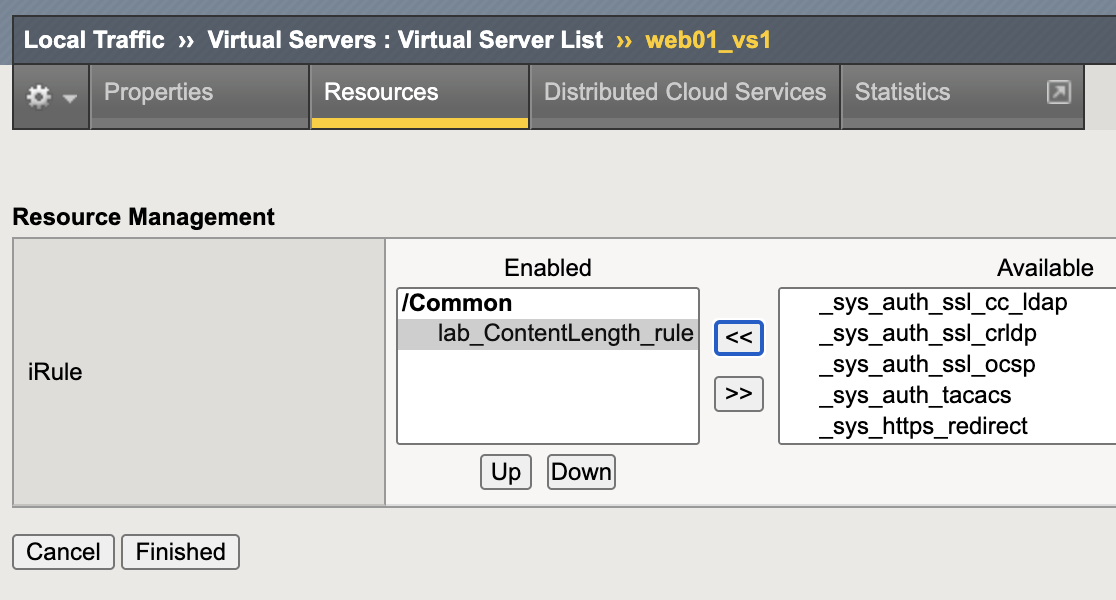
Click the Finished button at the bottom of the page to save the change
View the new log data from the BIG-IP command-line
If needed, open a Web Shell session to the BIGIP01

Monitor the logs to see the content-length of the HTTP responses:
tail -10 /var/log/ltm | grep Content-Length
The files names in the lab include the file size but that is most likely not going to be the case in other environments so the Content-Length header shows the size in bytes. This traffic mix contains files 16KB to 3MB (you may need to scroll right in the box to see all of the log data):
Feb 12 13:04:41 bigip01.f5tcp.lab info tmm1[16963]: Rule /Common/lab_ContentLength_rule <HTTP_RESPONSE>: Content-Length (Bytes): 3145728 - URI: /file_3mb.txt
Feb 12 13:04:41 bigip01.f5tcp.lab info tmm2[16963]: Rule /Common/lab_ContentLength_rule <HTTP_RESPONSE>: Content-Length (Bytes):  - URI: /index.nginx-debian.html
Feb 12 13:04:41 bigip01.f5tcp.lab info tmm3[16963]: Rule /Common/lab_ContentLength_rule <HTTP_RESPONSE>: Content-Length (Bytes): 1048576 - URI: /file_1mb.txt
Feb 12 13:04:41 bigip01.f5tcp.lab info tmm[16963]: Rule /Common/lab_ContentLength_rule <HTTP_RESPONSE>: Content-Length (Bytes): 16384 - URI: /file_16kb.txt
Feb 12 13:04:41 bigip01.f5tcp.lab info tmm2[16963]: Rule /Common/lab_ContentLength_rule <HTTP_RESPONSE>: Content-Length (Bytes): 262144 - URI: /file_256kb.txt
Feb 12 13:04:41 bigip01.f5tcp.lab info tmm[16963]: Rule /Common/lab_ContentLength_rule <HTTP_RESPONSE>:
Detach The iRule From The Virtual Server
Since you are connected to BIG-IP01 via Web Shell, modify Virtual Server web01_vs1 from tmsh. Enter the following commands to remove the lab_ContentLength_rule iRule:
tmsh modify ltm virtual web01_vs1 rules none
tmsh save sys config
Verify the iRule is no longer logging. You may see a few older log entries but it should not be scrolling:
tail -f /var/log/ltm | grep Content-Length
Type <ctrl-c> to exit the tail command
Create Another iRule
From the left BIGIP01 menu, select Local Traffic > Virtual Servers > iRules > iRule List and click the '+' again from the flyout to create a new iRule
Use lab_ResponseCode_rule for the iRule name. This rule will log URLs resulting in HTTP 4xx response codes.
Enter the following code
when HTTP_REQUEST {
  set reqURI [HTTP::uri]
}

when HTTP_RESPONSE {
  set resCode [HTTP::status]
  if { $resCode starts_with 4 } {
     log local0. "Response Code: $resCode - URI: $reqURI"
  }
}
Click the Finished button at the bottom of the page to save the changes.
Assign New iRule to Virtual Server
From the left menu, select Local Traffic > Virtual Servers > Virtual Server List
Click on web01_vs1 then go to the the Resources tab where the iRule will be assigned.
Click on the Manage button on the right of the iRule section
Select rule lab_ResponseCode_rule from the list on the right the click "<<" in the middle to assign the iRule to the Virtual server
Click Finished button at the bottom of the page to save the change
View the new log data from the BIG-IP command-line
From the BIGIP01 Web Shell window, monitor the logs to see the content-length of the HTTP responses:
tail -20 /var/log/ltm | grep "Response Code"
As we saw in the AVR example, the 40x response codes are related to the URL wiith the typo - /file_16kd.txt:
Feb 17 23:35:29 bigip01.f5tcp.lab info tmm2[17067]: Rule /Common/lab_ResponseCode_rule <HTTP_RESPONSE>: Response Code: 404 - URI: /file_16kd.txt
Feb 17 23:35:29 bigip01.f5tcp.lab info tmm[17067]: Rule /Common/lab_ResponseCode_rule <HTTP_RESPONSE>: Response Code: 404 - URI: /file_16kd.txt
Feb 17 23:35:29 bigip01.f5tcp.lab info tmm1[17067]: Rule /Common/lab_ResponseCode_rule <HTTP_RESPONSE>: Response Code: 404 - URI: /file_16kd.txt
Feb 17 23:35:30 bigip01.f5tcp.lab info tmm1[17067]: Rule /Common/lab_ResponseCode_rule <HTTP_RESPONSE>: Response Code: 404 - URI: /file_16kd.txt
Detach The iRule From The Virtual Server
Since you are connected to BIG-IP01 via SSH, modify the web01_vs1 Virtual Server from tmsh. Enter the following commands to remove the lab_ResponseCode_rule iRule:
tmsh modify ltm virtual web01_vs1 rules none
tmsh save sys config
Verify the iRule is no longer logging. You may see a few log old entries but it should not be scrolling:
tail -f /var/log/ltm | grep "Response Code"
Type <ctrl-c> to exit the tail command
Recap
Even though this lab did not contain any performance modifications, the data learned is necessary for later optimizations or for cleaning up network noise (bad URLs, old/bad redirects, block scanners, etc) that will reduces system load.
This completes Lab 1