F5 BIG-IP SSL Orchestrator Training Lab > All SSL Orchestrator Lab Guides > SSLO 101: Introduction to SSL Visibility with SSL Orchestrator (AppWorld 2026 | 2 hours) > 2. Lab Environment Source | Edit on
2.2. Lab Environment Details
The corresponding UDF lab blueprint is shared among multiple SSL Orchestrator lab courses, so was built to support both inbound and outbound SSL visibility and inspection use-cases. In this lab, you will only deploy an outbound scenario and use a subset of the inspection services that are available. The relevant resources will be noted at the beginning of each lab module.
If you are interested in learning more about how the inspection services are implemented for this lab environment, please refer to Appendix 1.
2.2.1. F5 BIG-IP SSL Orchestrator
This is a diagram of the virtual lab environment from the perspective of the BIG-IP SSL Orchestrator. The numbers inside the SSL Orchestrator box indicate the interface numbers and VLAN tags (if applicable). The VLANs and IP subnets are either pre-configured or will be configured as you work through the lab exercises.
The first interface is connected to the client-facing VLAN and the last interface is connected to the Internet-facing VLAN. One of the tagged interfaces connects to the application server VLAN. The remaining interfaces are connected to various types of security services: inline L2, inline L3, HTTP, ICAP, and passive Tap. The SSL Orchestrator management interface is not shown.
Tip
It is a security best practice to isolate security devices within the protected network segments provided by SSL Orchestrator.
However, when integrating SSL Orchestrator with already deployed security inspection tools, administrators often do not want to move existing security services into new network segments. While technically possible to support, passing this decrypted traffic to points on an existing network architecture could create multiple points of data exposure. Decrypted traffic (including passwords, usernames, and other personally identifiable information) could be exposed to other devices on that network.
It is therefore recommended that security inspection devices be connected within a private enclave local to the BIG-IP SSL Orchestrator instance(s). Please keep this architectural consideration in mind when implementing SSL Orchestrator in your own environment.
2.2.2. Ubuntu-Client
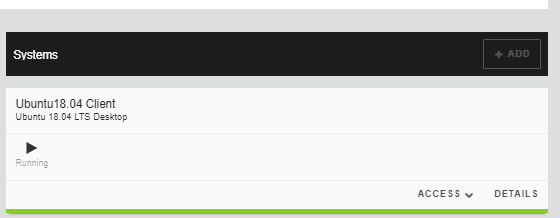
In this lab, this Ubuntu-Client VM is used for testing outbound Internet access via SSL Orchestrator. The WEBRDP service leverages an instance of Apache Guacamole to provide web-based RDP access to the Ubuntu-Client desktop GUI.
2.2.3. Ubuntu-Server
The Ubuntu-Server VM VM hosts all of the inspection services used for SSL Orchestrator deployments. Some inspection services run at the Linux host level, while others run as Docker containers.
The following services will be used in this lab course:
TAP Service (container)
This is an instance of Wireshark with a web UI that is connected to the BIG-IP on interface 1.3.
ICAP Service (container)
This is an instance of ClamAV and is connected to the BIG-IP on interface 1.2 (tag 50). The service is using IP address 198.19.97.50 and port 1344 (ICAP). The ICAP request and response URL paths are both /avscan.
Inline Layer 2 Service (host)
This is an instance of Suricata (open source network analysis tool with IDS/IPS functionality) and is connected to the BIG-IP on interfaces 1.4 (inbound from the service) and 1.5 (outbound to the service).