F5 BIG-IP SSL Orchestrator Training Lab > All SSL Orchestrator Lab Guides > SSLO 203: F5 BIG-IP SSL Orchestrator: Plug, play, automate (AppWorld 2026 | 2 hours) > 4. Lab 3: SSL Orchestrator Automation with Ansible Source | Edit on
4.4. Ansible Environment Setup and Reset of Existing SSL Orchestrator Configuration
In order to ensure the proper execution of the Ansible Playbooks within this module, it is important to have a properly configured environment. This environment is provided through the Ubuntu-Client WebRDP session. This client is running VScode and will be the tool used to execute the Ansible Playbooks.
4.4.1. Access the Ubuntu-Client WebRDP Session and open VScode
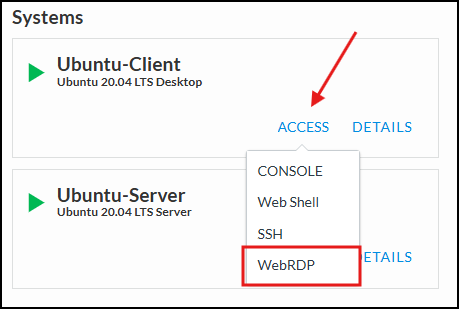
From the UDF Deployment tab, access the WebRDP session for the Ubuntu-Client resource. This will open a new browser tab with a GUI session. Login with user / user.
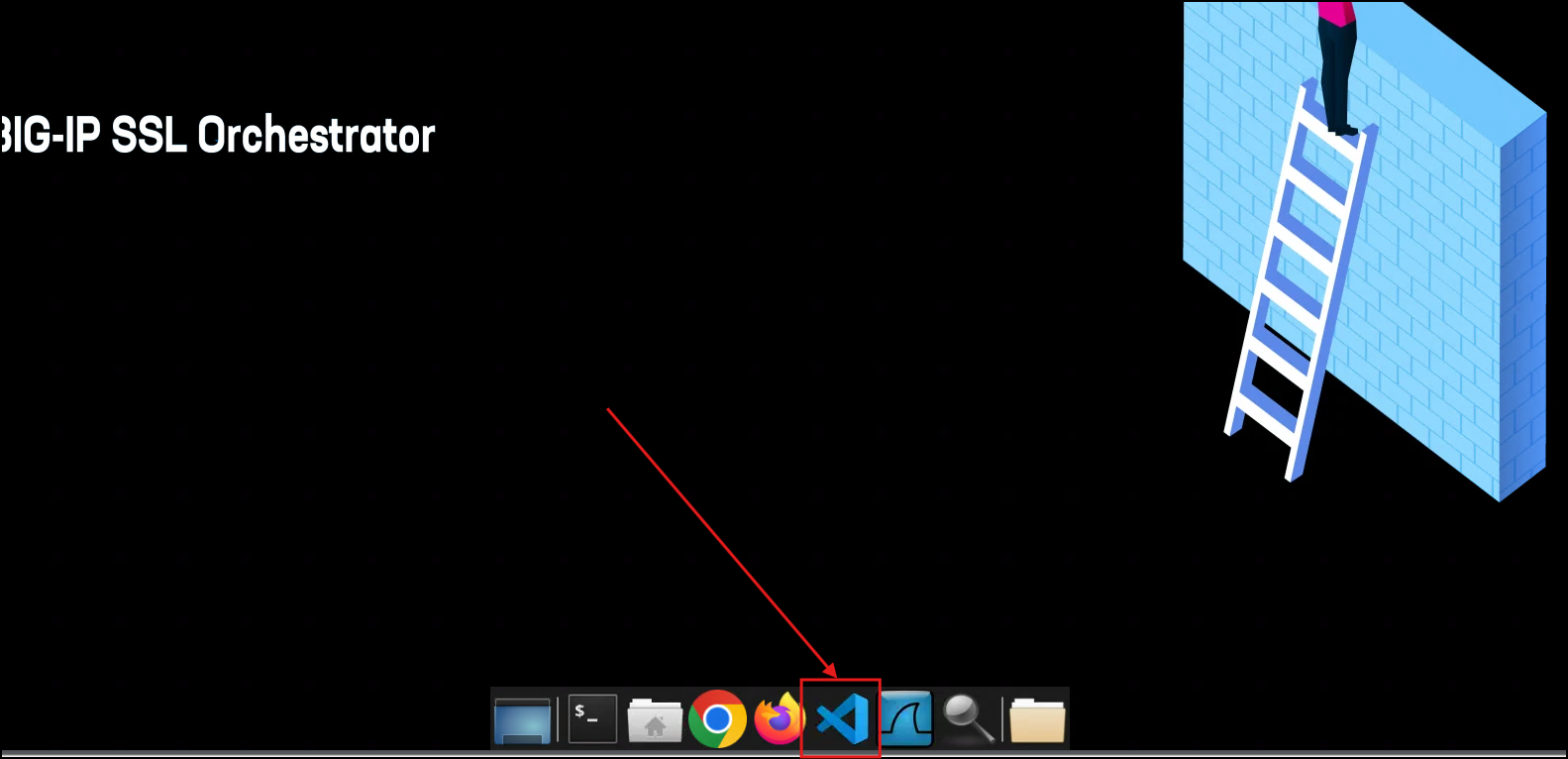
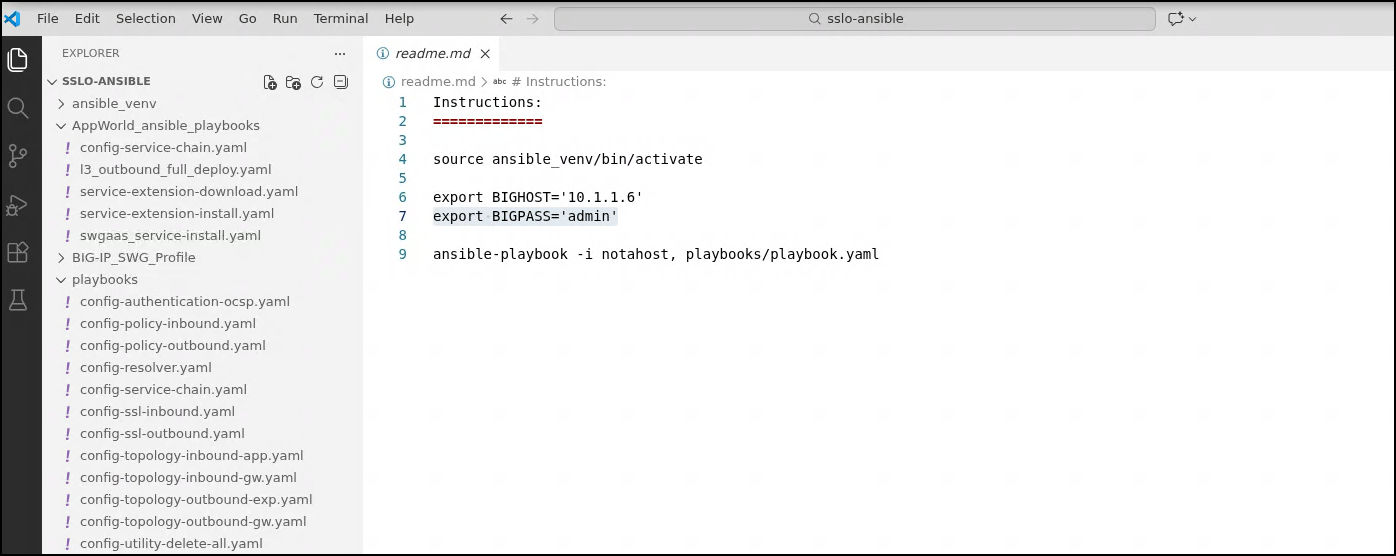
After logging in, open the VScode application from the bottom panel taskbar. This should auto display the README file for the the Ansible Playbooks that are stored on the desktop.
4.4.2. Initialize the Ansible Environment
In the terminal pane of VScode, ensure you are in the proper working directory for the Ansible Playbooks ~/Documents/API/sslo-ansible. If you are not in the correct directory, use the following command to navigate to the Ansible Playbooks directory.

Note
If you are not in the correct directory, use the below command to navigate to the Ansible Playbooks directory.
cd ~/Documents/API/sslo-ansible
Run the source command to initialize the Ansible python environment and set the necessary environment variables:
source ansible_venv/bin/activate
export BIGHOST='10.1.1.6'
export BIGPASS='admin'
After running the above commands, you should see the terminal prompt change to indicate that you are now in the Ansible virtual environment. You can now proceed to execute the Ansible Playbooks as needed for this module.

4.4.3. Explore Ansible Playbooks for F5 BIG-IP SSL Orchestrator
Within VScode, there are several directories within the Explorer pane on the left. The appworld_ansible_playbooks directory contains the Ansible Playbooks that will be used in this lab. The playbooks directory contains the playbook files related to the f5.bigip collection.
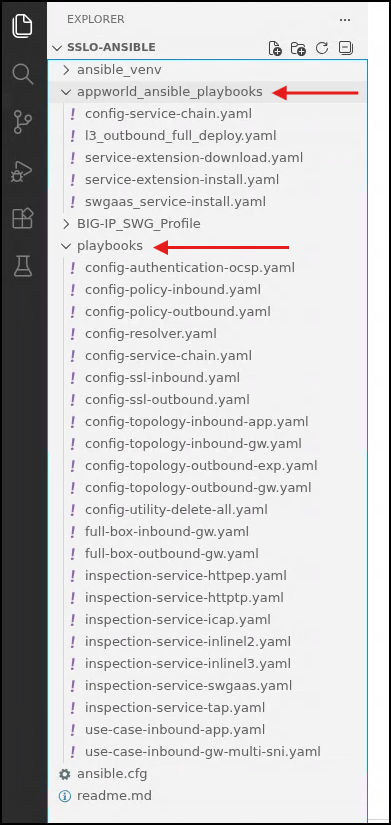
Take a few moments to explore both the appworld_ansible_playbooks and playbooks directories to familiarize yourself with the structure and contents of the Ansible Playbooks that will be used in this module. This will help you understand how the playbooks are organized and how they interact with the F5 BIG-IP SSL Orchestrator environment.
Here is an example of the structure of a playbook within the appworld_ansible_playbooks directory:
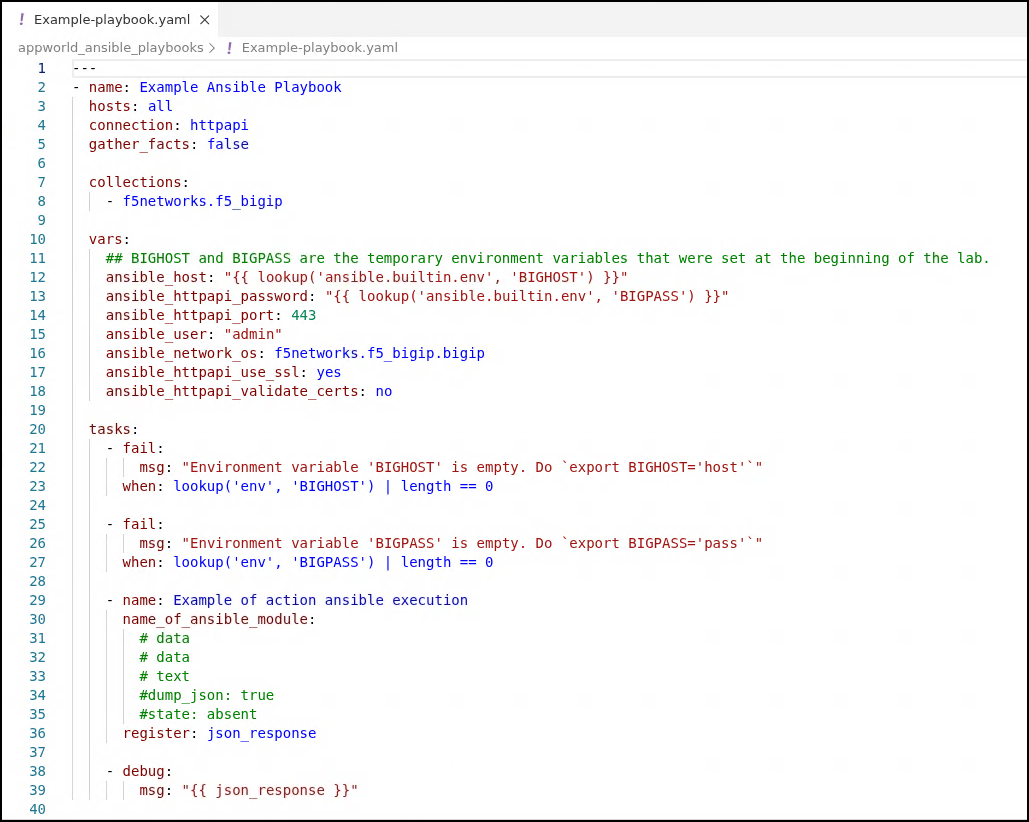
The fundamental structure of these F5 BIG-IP Ansible playbooks uses the following form, allowing for the notahost inventory tag (no hosts inventory needed) and environment variables passed into the playbook for the BIG-IP address and admin password.
ansible-playbook -i notahost, appworld_ansible_playbooks/<name of playbook>.yaml
4.4.4. Completion of this section and Lab Reset
Now that we have enabled the Ansible environment and explored the playbooks, we are ready to move on to the next section where we will execute several Ansible Playbooks to automate tasks within the F5 BIG-IP SSL Orchestrator environment.
In order to have a fresh environment to work with, we will first execute the remove-previous-config.yaml playbook which will delete all existing Topologies, Security Policies, and SSL Configurations related to everything we've built so far. This will allow us to start with a clean slate as we work through the next sections of this module.
ansible-playbook -i notahost, appworld_ansible_playbooks/remove-previous-config.yaml
Note
This will keep the existing Services and Service Chains intact. This is intentional as it allows you to reuse services if needed if you want to rebuild or explore options.