F5 BIG-IP SSL Orchestrator Training Lab > All SSL Orchestrator Lab Guides > SSLO 203: F5 BIG-IP SSL Orchestrator: Plug, play, automate (AppWorld 2026 | 2 hours) > 4. Lab 3: SSL Orchestrator Automation with Ansible Source | Edit on
4.6. Automating a new SWGaaS Deployment
Within this lab, we will be deploying a new Secure Web Gateway as a Service (SWGaaS) deployment using Ansible Playbooks to automate the configuration on BIG-IP SSL Orchestrator.
- We will accomplishing the following:
Review Ansible playbooks needed for this deployment
Deploying a new SWG Service using Ansible Playbooks
Modifying the existing Service Chain to include the new SWG Service
Testing the new SWG Service
4.6.1. What is a Secure Web Gateway?
Secure Web Gateway (SWG) is a forward-proxy security solution that provides protection against web-based threats by enforcing corporate and regulatory policies for internet access. It acts as a barrier between users and the internet, inspecting and filtering web traffic to prevent access to malicious websites, block inappropriate content. SWG can be deployed within BIG-IP SSL Orchestrator and is commonly used to enhance security and control over outbound web traffic.
4.6.2. Building a new SWG Service - Prerequisites
To build this new SWG, we will need to ensure there is a necessary prerequisite configuration in place. The BIG-IP SSL Orchestrator SWGaaS Service relies on a pre-existing SWG Per-Request policy built in side the Access portion of BIG-IP. We will confirm it is in place and inspect the flow of the policy to understand how it works.
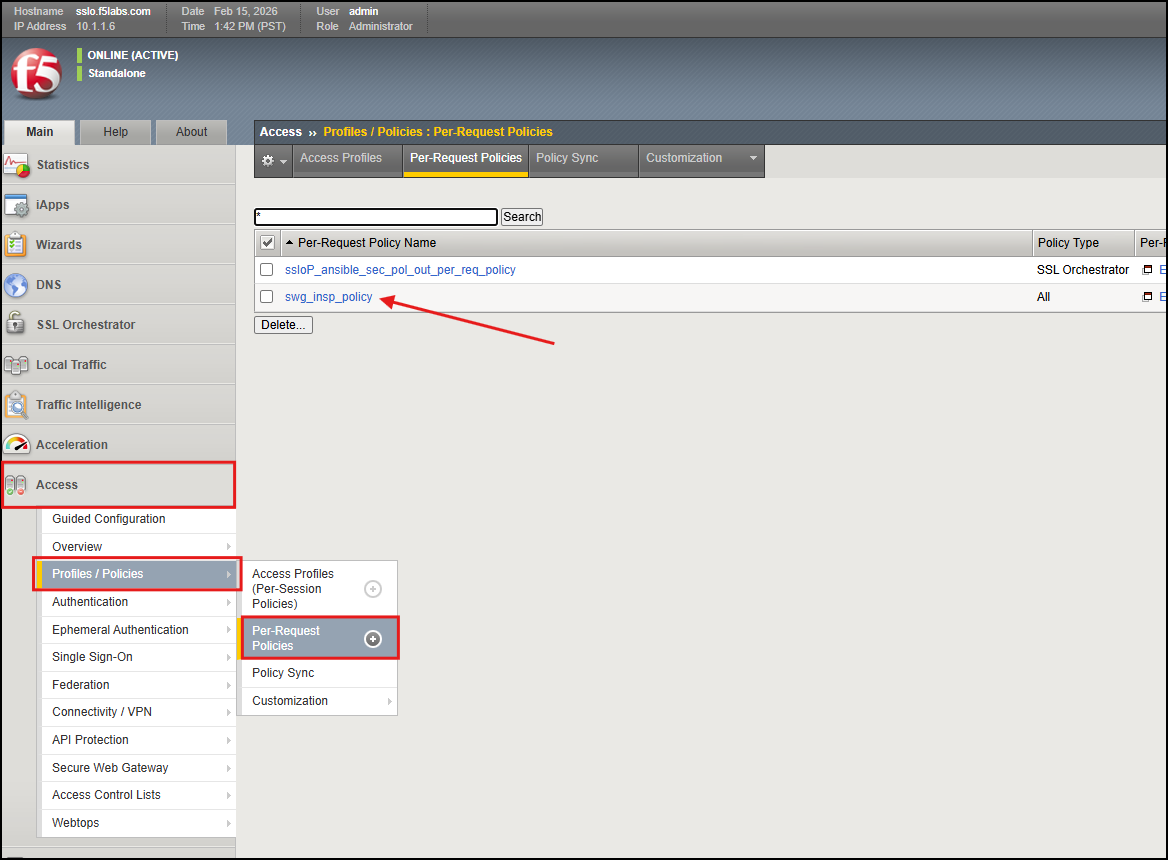
Go to your BIG-IP SSL Orchestrator GUI a go to Access > Profiles / Policies > Per-Request Policies. You should see the
swg_insp_polciyin place. This is the policy that the SWGaaS Service will rely on to trigger traffic to be sent to the SWGaaS service for inspection.
Note
Please let an instructor know if the policy is not in place, as it is a necessary prerequisite for the SWGaaS Service to function properly.
Here is the example of the flow of the SWG Per-Request policy.
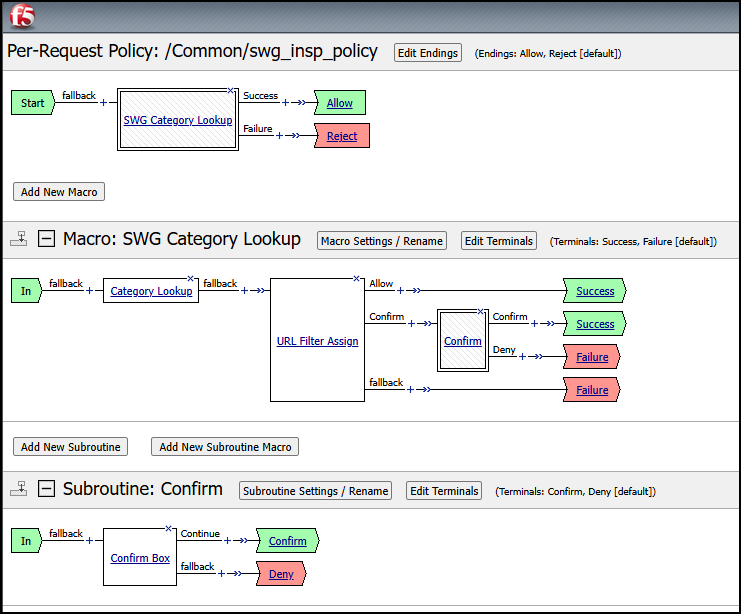
Now that we have confirmed the necessary prerequisite configuration is in place, we can move on to deploying the new SWGaaS Service.
4.6.3. Building a new SWGaaS Service - Install and Assign
In order to deploy the new SWG service, we will execute the playbook named
swgaas-service-install. Go to the Ubuntu-Client WebRDP session back into VSCode, and execute the following command to run the playbook.
ansible-playbook -i notahost, appworld_ansible_playbooks/swgaas-service-install.yaml
Note
Please let an instructor know if you encounter any errors during the execution.
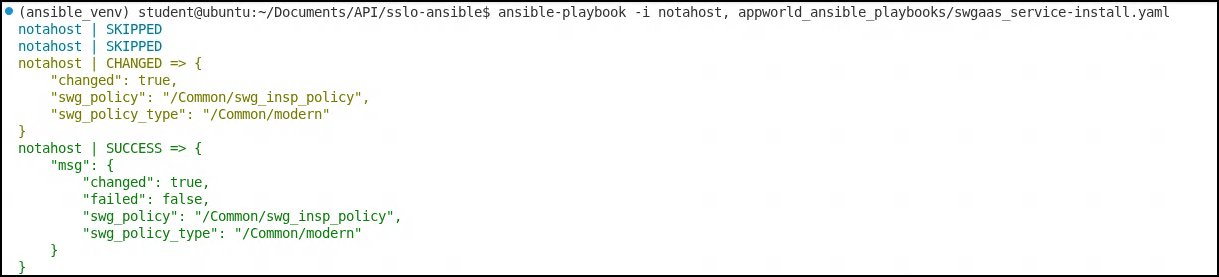
After the playbook has completed successfully, take a few moments to explore the new configuration on the BIG-IP SSL Orchestrator through the GUI. You should see the new SWG Service in place and ready to go.
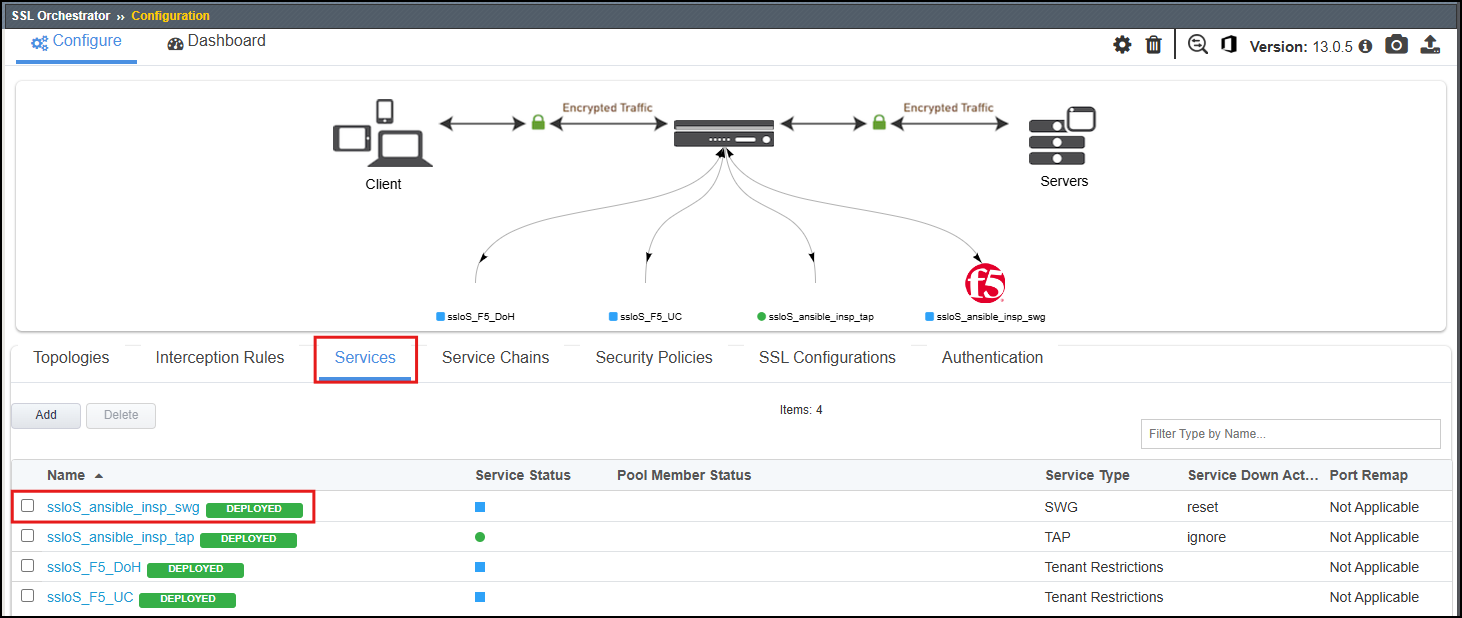
Now that the new service is installed, we will need to attach it to the existing Service Chain
ansible_chain. Additionally, we will modify the Service Chain to only use the new SWG Service.We will use the
assign-swgaas-chain.yamlplaybook to remove the Wireshark TAP serviceansible_insp_tapfrom the Service Chain and assign the new SWGaaS service to the Service Chain. Run the following command to execute the playbook within VSCode on the Ubuntu-Client instance:
ansible-playbook -i notahost, appworld_ansible_playbooks/assign-swgaas-chain.yaml
Note
Please let an instructor know if you encounter any errors during the execution.
4.6.4. Testing the new SWGaaS Service
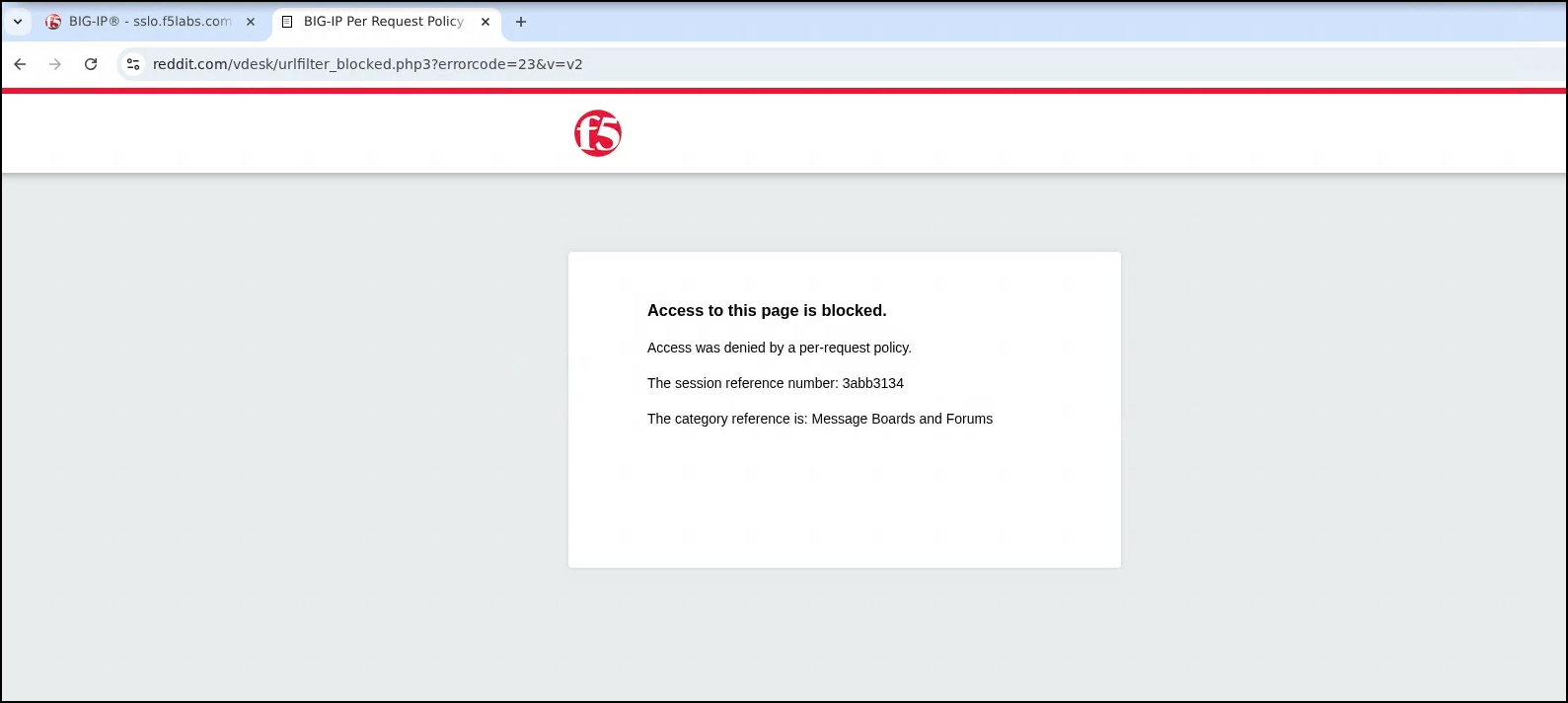
To the new SWGaaS Service, we will be using the same testing methodology as we have in previous labs. We will generate traffic from the Ubuntu-Client WebRDP instance that is steered through the new SWGaaS Service.
Open your favorite browser Chrome or Firefox and attempt to access the
https://www.reddit.com. This should trigger the new SWGaaS Service to inspect the traffic and enforce the security policies in place.
4.6.5. Conclusion
In this lab, we successfully deployed a new SWGaaS Service using Ansible Playbooks to automate the configuration on BIG-IP SSL Orchestrator. We also modified the existing Service Chain to include the new SWGaaS Service while removing the previous TAP service, and tested it by generating traffic through the service to confirm it was working as expected.