F5 BIG-IP SSL Orchestrator Training Lab > All SSL Orchestrator Lab Guides > SSLO 203: F5 BIG-IP SSL Orchestrator: Plug, play, automate (AppWorld 2026 | 2 hours) > 5. Optional Lab Exercise #1: SaaS Tenant Isolation Source | Edit on
5.2. Deploy SaaS Tenant Isolation Objects
5.2.1. SaaS Tenant Isolation Script
SaaS Tenant Isolation functionality is a Service Extension for SSL Orchestrator. An installation script automates the creation of the configuration objects needed to implement this functionality.
- The script creates the following objects:
F5_SaaS-Tenant-Isolation Inspection Service - the SaaS Tenant Isolation Service Extension to interact with decrypted traffic flows.
Internal Virtual Server to act as the target for the SaaS Tenant Isolation Inspection Service.
SaaS Tenant Isolation iRule - injects the SaaS Tenant Isolation prompts, as well as optional logging.
5.2.2. Download the Installation Script
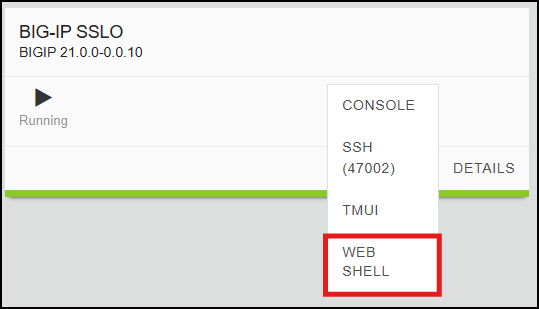
From the UDF Deployment tab, access the Web Shell of the BIG-IP SSL Orchestrator resource. This will open a new browser tab with an SSH session (logged in as the root user).
Change Directory to the /tmp directory:
cd /tmp
Download the installation script:
curl -sk https://raw.githubusercontent.com/f5devcentral/sslo-service-extensions/refs/heads/main/saas-tenant-isolation/saas-tenant-isolation-installer.sh -o saas-tenant-isolation-installer.sh
Tip
Click the copy icon in the URL text box above and paste it into the BIG-IP SSL Orchestrator - Web Shell session. If your local machine is Windows, press the <CTRL>-<SHIFT>-V combination to paste.
5.2.3. Run the Installation Script
Make the installation script executable:
chmod +x saas-tenant-isolation-installer.sh
Create a BASH environment variable containing the BIG-IP username and password:
export BIGUSER='admin:admin'
Run the installation script to create all of the SaaS Tenant Isolation objects:
./saas-tenant-isolation-installer.sh

5.2.4. Verify Object Creation
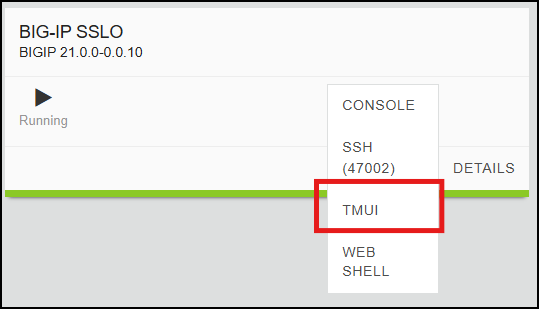
From the UDF Deployment tab, access the TMUI of the BIG-IP SSL Orchestrator resource. This will open a new browser tab with a GUI session. As before, login with admin / admin.
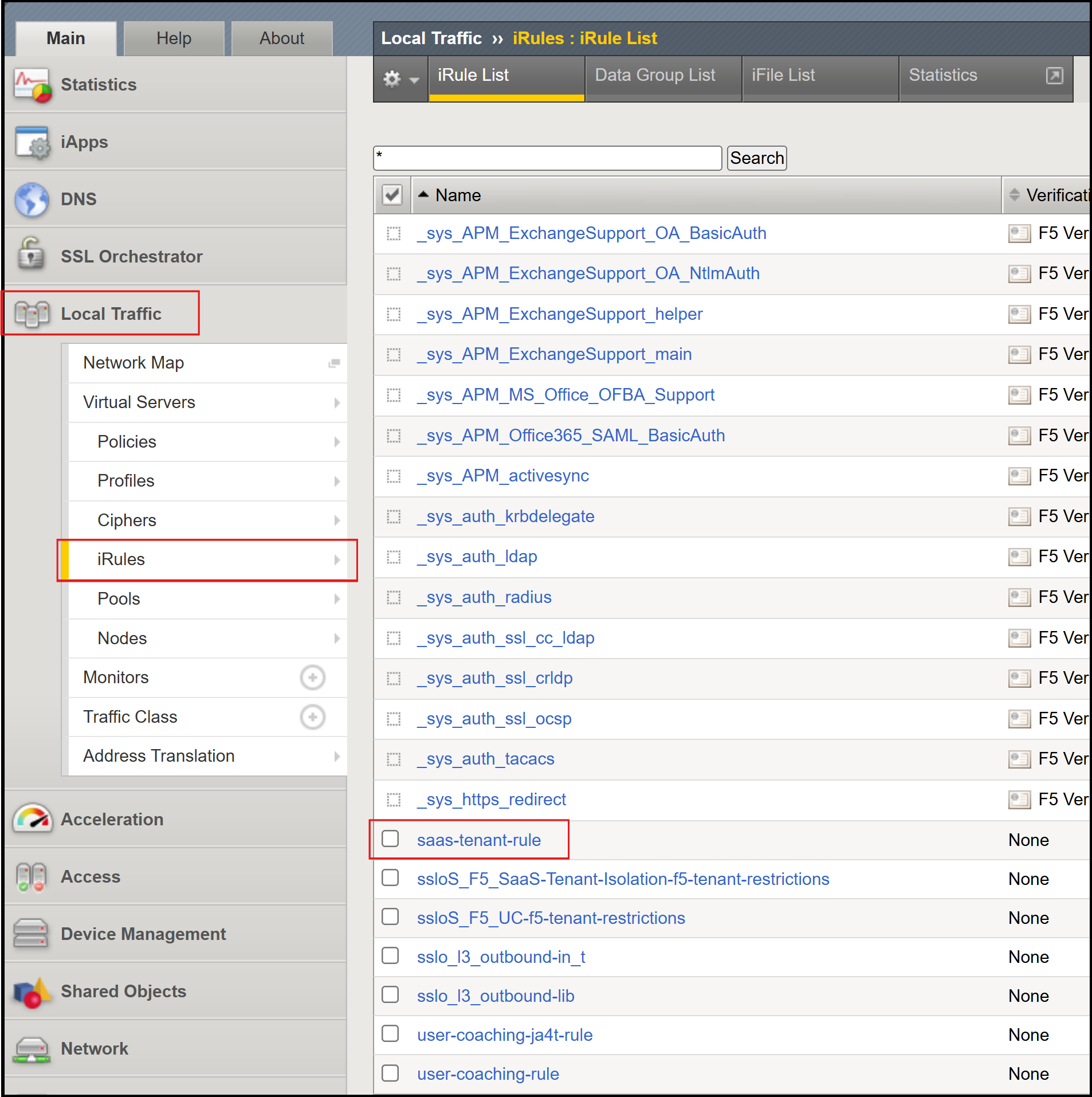
Navigate to Local Traffic > iRules and verify that the following iRules are present.
saas-tenant-irule
Navigate to SSL Orchestrator > Configuration. In the diagram, you should see the ssloS_F5_SaaS-Tenant-Isolation Inspection Service icon (along with the F5_UC that you previously deployed).
Click on the Services tab and verify that the ssloS_F5_SaaS-Tenant-Isolation Inspection Service is present.
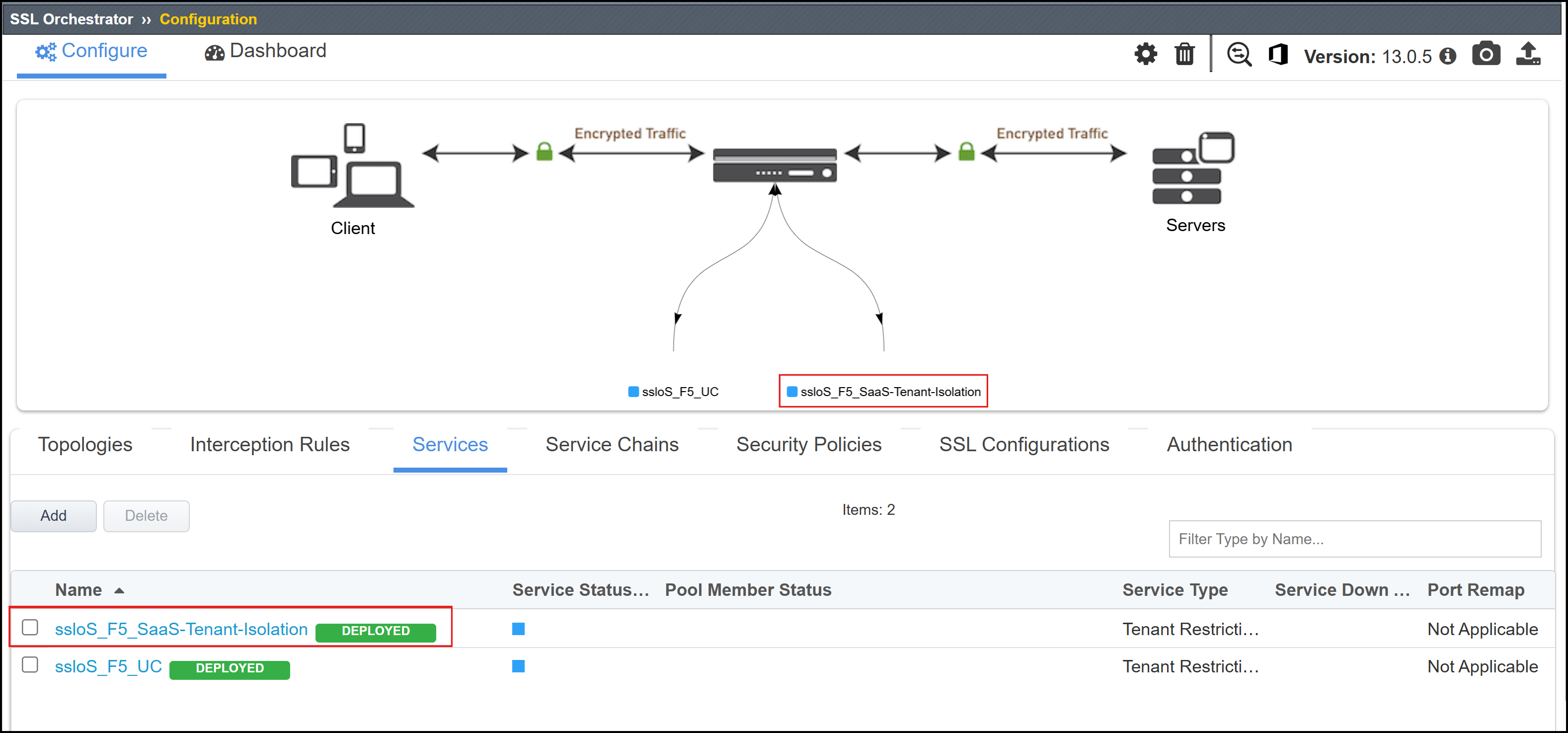
This completes the installation of the configuration objects needed to support the SaaS Tenant Isolation Service Extension. In a later step, you will add the resulting ssloS_F5_SaaS-Tenant-Isolation Service to the existing Service Chain.