F5 Application Delivery Controller Solutions > TMOS - Performance Tuning > Lab 2: Working With TCP Profiles Source | Edit on
Task 1: Review Base TCP Profiles
From the left-side BIGIP01 menu, go to Local Traffic > Profiles > Protocol > TCP
Click the Parent Profile column title twice to sort the Parent Profiles in ascending order.
Most profiles in TMOS have a parent/child structure where the child can both inherit and override settings from the parent profile. Within the list of TCP profiles, you can see that all included profiles end up sourcing from the base profile named tcp. For example, tcp-wan-optimized is a child of tcp-legacy and tcp-legacy is a child of tcp
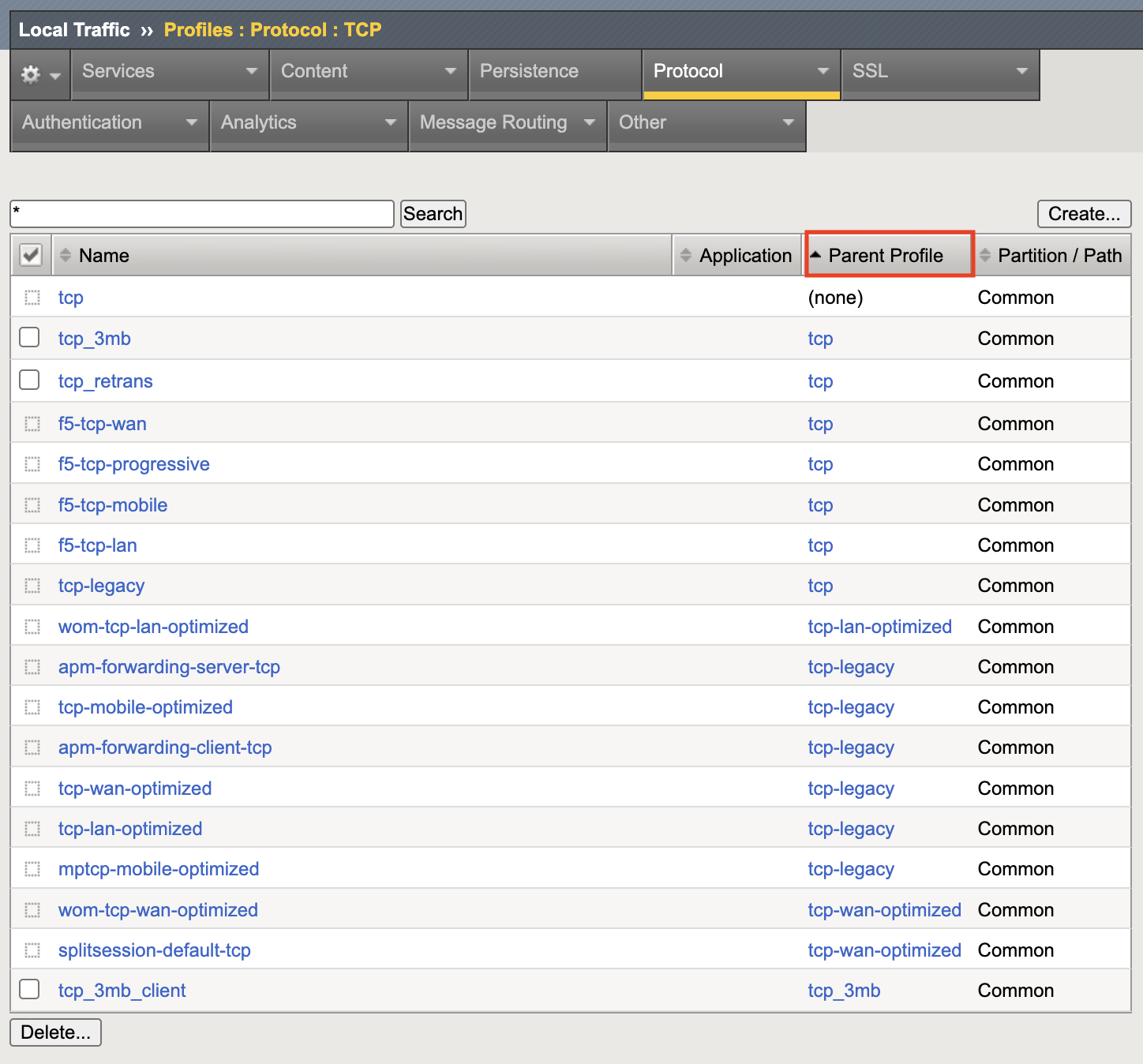
As TMOS has upgraded over the years, changes have been made to the base TCP profile and to maintain compatibility with previous releases, new child profiles have been created to override the base profile with the settings of the older profiles. For example, tcp-legacy was created containing the settings from previous TMOS version.
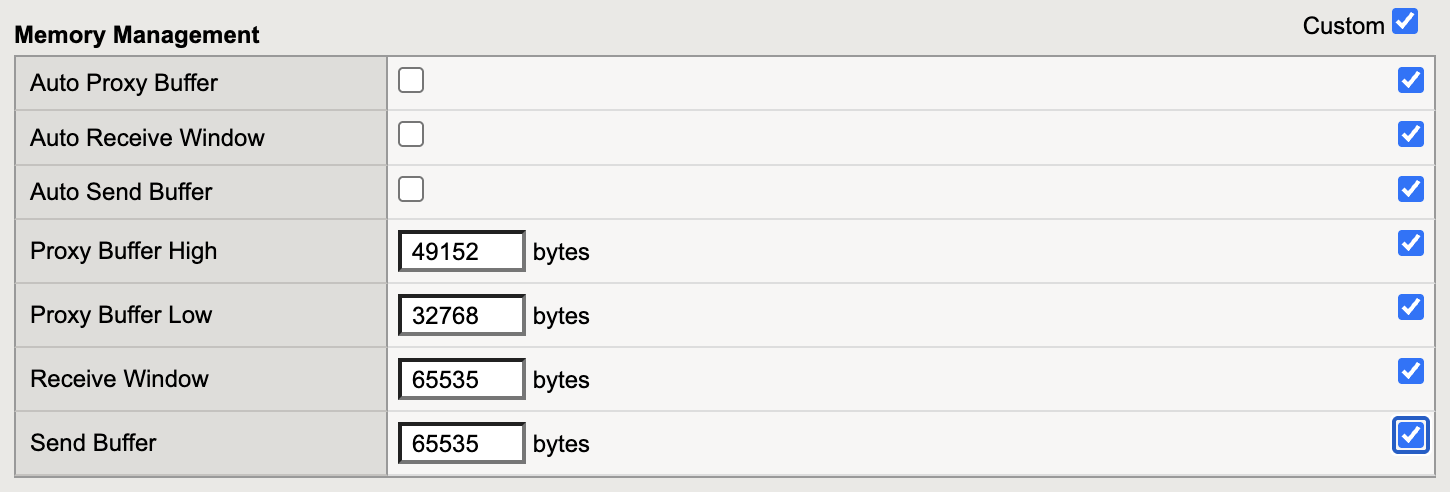
Click on the tcp-legacy profile name to see how options are overridden from the TCP parent profile. The key option carried over from the older TCP profile is the Memory Management Send Buffer limit of 65535 bytes. This is the 16-bit Window size limit from the original TCP standard (RFC 793).
At this point, Virtual Server web01_vs1 is using the older TCP profiles - tcp-wan-optimized (client-side) and tcp-lan-optimized (server-side). These profiles are parented from tcp-legacy and have small TCP buffers that do not allow for TCP Window scaling limiting the amount of inflight data before an ACK. These profiles are commonly assigned to Virtual Servers on BIG-IP systems that have been upgraded across many versions of TMOS. For example, v10 > v12 > v14 > v15 > v17.
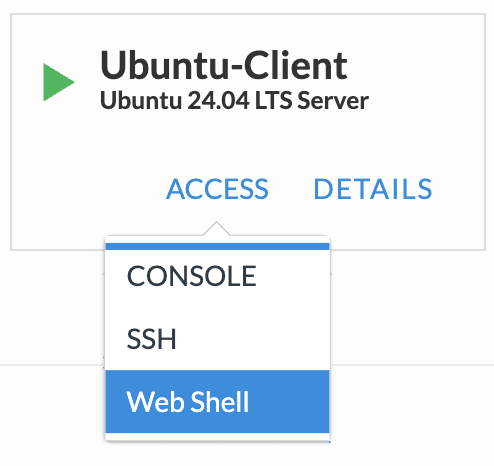
If not still open from the previous lab, connect to the Ubuntu-Client via Web Shell using the Access dropdown
If not still open from the previous lab, connect to BIGIP01 via Web Shell using the Access dropdown

Run the following command from the Ubuntu-Client Web Shell browser tab:
~/zerowindow3.sh
The script uses curl to request a 3MB file 3 times over a single TCP connection to webo1_vs. It does this 3 times and displays the total time when finished. This process may take a bit so you can leave it running while going through the next steps.
Start a packet capture from the BIGIP01 Web Shell window:
timeout 5s tcpdump -nni internal host 10.1.10.15 and 'tcp[14:2] == 0 && tcp[13] == 16' -s 500
What is the TCPDUMP command doing?
timeout 5s: Run the command for 5s then quittcpdump: Command to run-nni: No name resolution and No port resolution and interface IDinternal: The 'interface' name - the server-side VLAN in the labhost 10.1.10.15: The internal floating selfIP used as the source filtertcp[14:2] == 0: Bytes 14 and 15 of the TCP header showing TCP window size - you want zerotcp[13] == 16: Filtering on TCP ACK as TCP Zero can also be seen with FIN during connection close-s 500: You're only concerned with TCP flags so the snaplength is 500 BytesSince background traffic running through BIGIP01, you should see 500-700 packets during the 5s capture.
Capture Examples (you may need to scroll to the right to see all of the text):
09:51:20.983280 IP 10.1.10.15.36658 > 10.1.10.32.443: Flags [.], ack 1114961, win 0, options [nop,nop,TS val 1824155031 ecr 3982370403], length 0
09:51:20.984960 IP 10.1.10.15.56662 > 10.1.10.30.443: Flags [.], ack 1050717, win 0, options [nop,nop,TS val 1824155032 ecr 909863226], length 0
09:51:20.991289 IP 10.1.10.15.36528 > 10.1.10.32.443: Flags [.], ack 1552257, win 0, options [nop,nop,TS val 1824155038 ecr 3982370620], length 0
09:51:20.996657 IP 10.1.10.15.33414 > 10.1.10.32.443: Flags [.], ack 1560945, win 0, options [nop,nop,TS val 1824155043 ecr 3982370624], length 0
09:51:20.999251 IP 10.1.10.15.36820 > 10.1.10.32.443: Flags [.], ack 458642, win 0, options [nop,nop,TS val 1824155046 ecr 3982370421], length 0
The capture output shows BIGIP01 Internal SelfIP (10.1.10.15) sending TCP Zero Window ACKs to the application pool members (10.1.10.30-34). This means TMOS is telling the pool members to stop sending data while it waits for the the client-side to catchup. As mentioned earlier, the client has 200ms of latency injected in the path to BIGIP01.
From the BIGIP01 Web Shell window, run the following packet capture filtering on SYN and SYN/ACK packets ('tcp[13] & 2 != 0') from the client.:
tcpdump -nni external host 10.1.30.6 and 'tcp[13] & 2 != 0' -c 4
The output will be similar to this (you may need to scroll to the right to see all of the text):
11:08:34.619362 IP 10.1.30.6.44976 > 10.1.20.103.443: Flags [S], seq 1493890342, win 64240, options [mss 1460,sackOK,TS val 141834751 ecr 0,nop,wscale 7], length 0 in slot1/tmm1 lis= port=1.2 trunk=
11:08:34.619417 IP 10.1.20.103.443 > 10.1.30.6.44976: Flags [S.], seq 4100418120, ack 1493890343, win 4380, options [mss 1460,sackOK,TS val 1828788666 ecr 141834751], length 0 out slot1/tmm1 lis=/Common/web01_vs1 port=1.2 trunk=
The client (10.1.30.6) is advertising TCP Window Scale capability with option wscale 7 in the SYN. With the SYN/ACK, BIGIP01 is responding without a wscale option since the TCP buffers sizes are limited to TCP base maximum of 65535 Bytes. No TCP Window scaling is available to this connection.
Check the Ubuntu-Client output from the script. You should see something similar to this:
Run 3:...
% Total    % Received % Xferd  Average Speed   Time    Time     Time  Current
                                 Dload  Upload   Total   Spent    Left  Speed
100 3072k    0 3072k    0     0   271k      0 --:--:--  0:00:11 --:--:--  311k
% Total    % Received % Xferd  Average Speed   Time    Time     Time  Current
                                 Dload  Upload   Total   Spent    Left  Speed
100 3072k    0 3072k    0     0   311k      0 --:--:--  0:00:09 --:--:--  321k
% Total    % Received % Xferd  Average Speed   Time    Time     Time  Current
                                 Dload  Upload   Total   Spent    Left  Speed
100 3072k    0 3072k    0     0   305k      0 --:--:--  0:00:10 --:--:--  315k

real  1m33.473s
user  0m0.153s
sys   0m0.174s
With the current TCP profiles, it takes around 90 seconds to transfer 27MB of data. Notice that within each of the 3 runs there is a slight performance increase for downloads 2 and 3 because the TCP connection was still ramping up during download 1. See the Average Dload column.