F5 Application Delivery Controller Solutions > BIG-IP Security Essentials > Outer Layer – Boundary and Access Isolation > Lab Source | Edit on
Self IP Port Lockdown
Self IP Port Lockdown restricts which control-plane services are exposed via data-plane VLAN interfaces. Even without virtual servers configured, Self IPs may respond to administrative services unless explicitly limited.
This mechanism is a critical Outer Layer boundary control.
Executive Summary
Production data-plane VLANs must enforce a default-deny posture using Allow None. Administrative services must never be reachable from DMZ or application VLANs.
Self IP Port Lockdown complements IP Allowlisting by ensuring that management services are not exposed to unintended network segments.
Threat Scenario
In the absence of Port Lockdown hardening:
A compromised workload on a server VLAN could attempt SSH access to the BIG-IP Self IP.
An insider on an application network could reach HTTPS (TMUI).
Lateral movement could expose the control plane to credential abuse or exploit attempts.
Port Lockdown reduces this attack surface by restricting control-plane service exposure on data-plane interfaces.
Objective
This lab will:
Identify data-plane Self IPs
Demonstrate unintended service exposure
Apply least-privilege Port Lockdown across data-plane VLANs
Validate service restriction from representative data-plane hosts
Reinforce Outer Layer segmentation principles
Hardened Enterprise Reference Design
Note
This is a reference design. Your topology may differ, but the principle remains: data-plane VLANs should never expose control-plane services.
Lab Procedure
Step 0 – Access the BIG-IP in UDF
Before beginning the lab, log in to the BIG-IP Configuration Utility (TMUI) from the UDF environment.
In the UDF deployment, select the Access tab.
Locate the BIG-IP TMUI link.
Click the link to open the BIG-IP Configuration Utility in a new browser tab.
Log in using the following credentials:
Username:
adminPassword:
f5Twister!
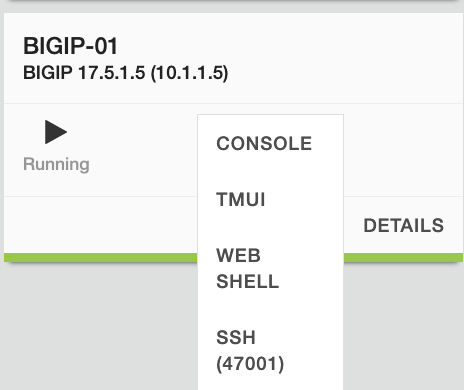
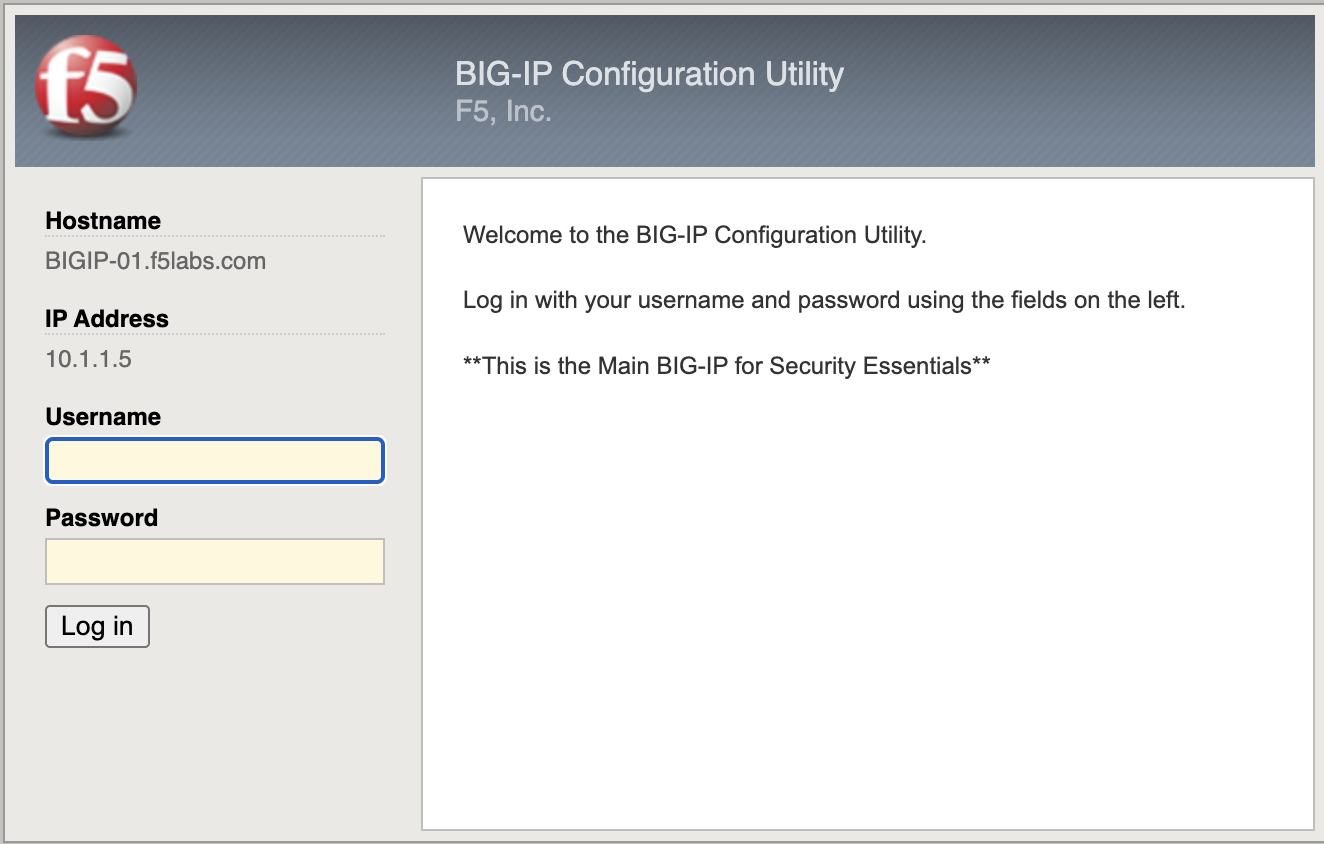
After successful authentication, the BIG-IP Configuration Utility dashboard will appear. You are now ready to begin the lab.
Step 1 – Identify Data-Plane Self IPs
Log in to the BIG-IP Configuration Utility.
Navigate to Network → Self IPs.
Identify Self IPs associated with:
External VLAN
Internal VLAN
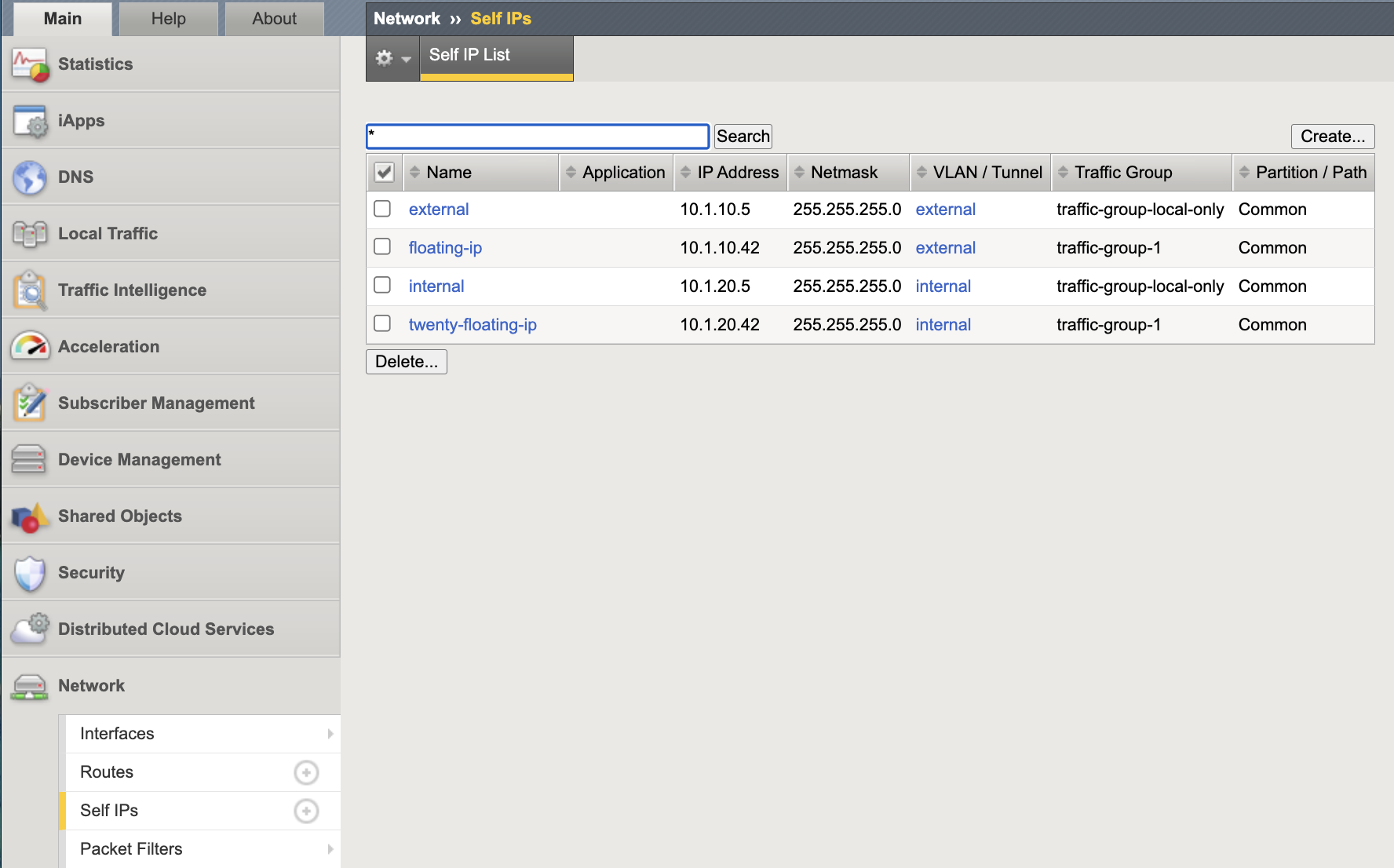
Baseline view of configured Self IPs prior to lockdown validation.
Record the data-plane Self IPs for this lab:
External Self IP:
10.1.10.5Internal Self IP:
10.1.20.5
Step 2 – Inspect Port Lockdown Mode (Internal and External)
Port Lockdown must be evaluated on all data-plane VLAN Self IPs.
Click the internal Self IP (10.1.20.5).
Review the Port Lockdown setting.
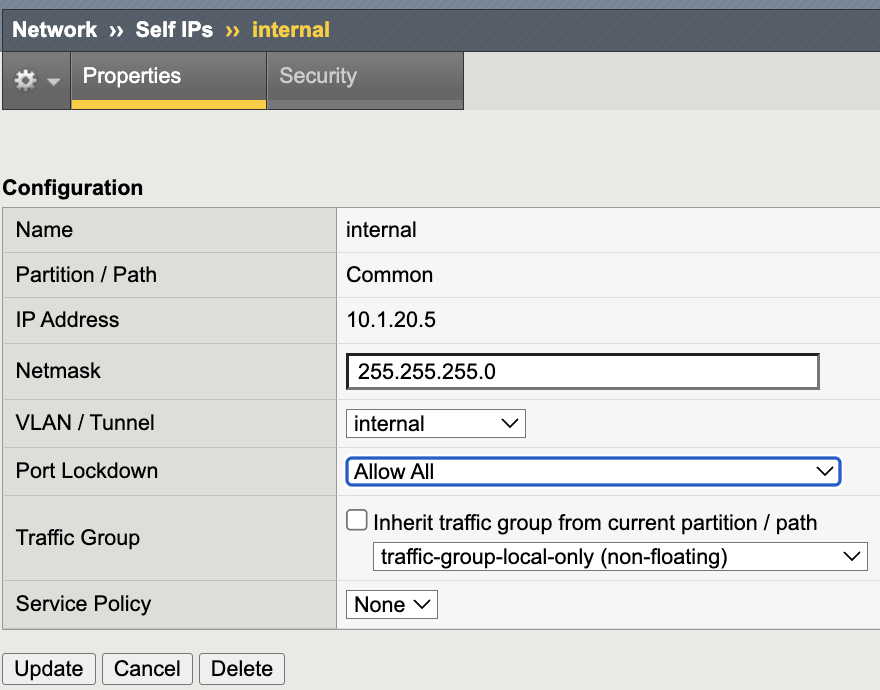
Return to the Self IP list.
Click the external Self IP (10.1.10.5).
Review the Port Lockdown setting.
If either Self IP is set to Allow Default, administrative services may be exposed on that VLAN via the data-plane interface.
Note
In the next steps you will validate exposure from a data-plane host, then remediate by applying Allow None to BOTH the internal and external data-plane Self IPs. This ensures downstream segmentation validation steps (including External Self IP checks) are deterministic.
Step 3 – Validate Service Exposure (Internal Data Plane)
Execution Context:
Host: Windows Jumphost
Network Interface: 10.1.20.0/24 (Internal Data Plane)
Git Bash
Access Windows Jumphost with RDP: Username: user Password: user
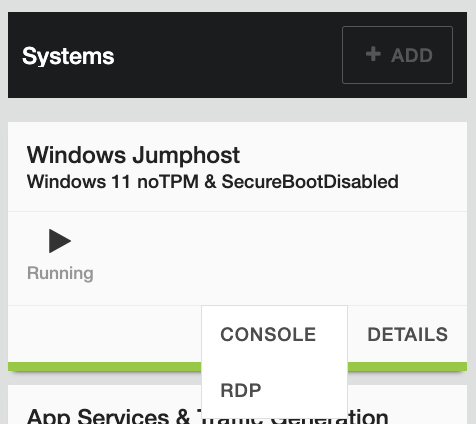
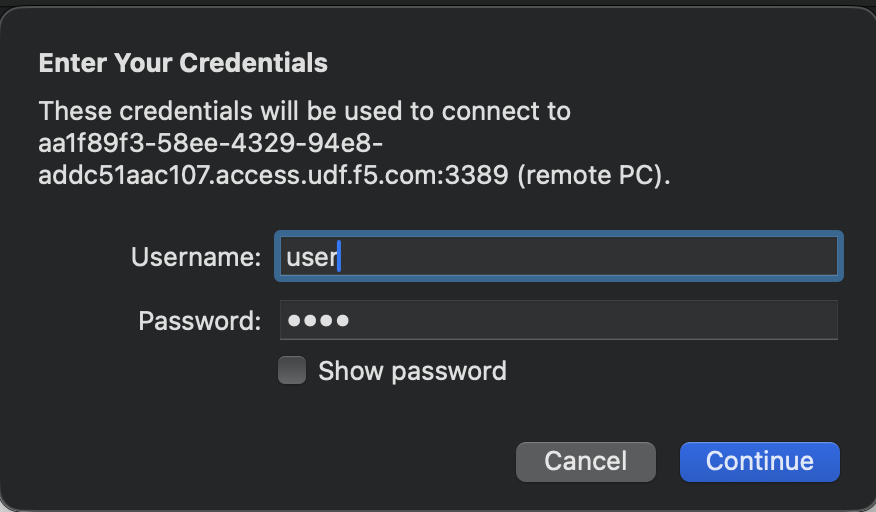
Run the following commands:
timeout 2 bash -c "</dev/tcp/10.1.20.5/443" && echo "443 OPEN" || echo "443 BLOCKED"
timeout 2 bash -c "</dev/tcp/10.1.20.5/22"  && echo "22 OPEN"  || echo "22 BLOCKED"
Expected (vulnerable state):
Port 22: OPEN
Port 443: OPEN
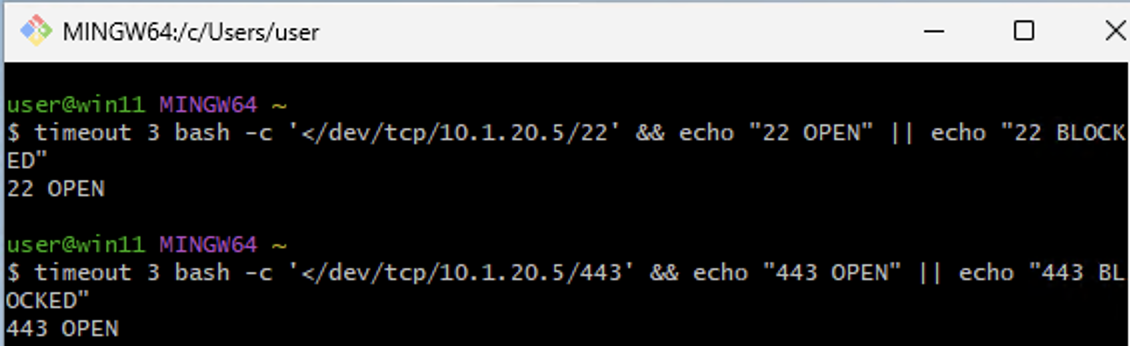
Baseline validation from a data-plane host showing TCP 443 and 22 reachable.
Note
The Windows Jumphost is multi-homed. Ensure the test originates from the 10.1.20.0/24 interface.
You can confirm this using:
ipconfig
Step 4 – Remediate with Allow None (Internal and External)
Apply a default-deny Port Lockdown posture to all data-plane Self IPs.
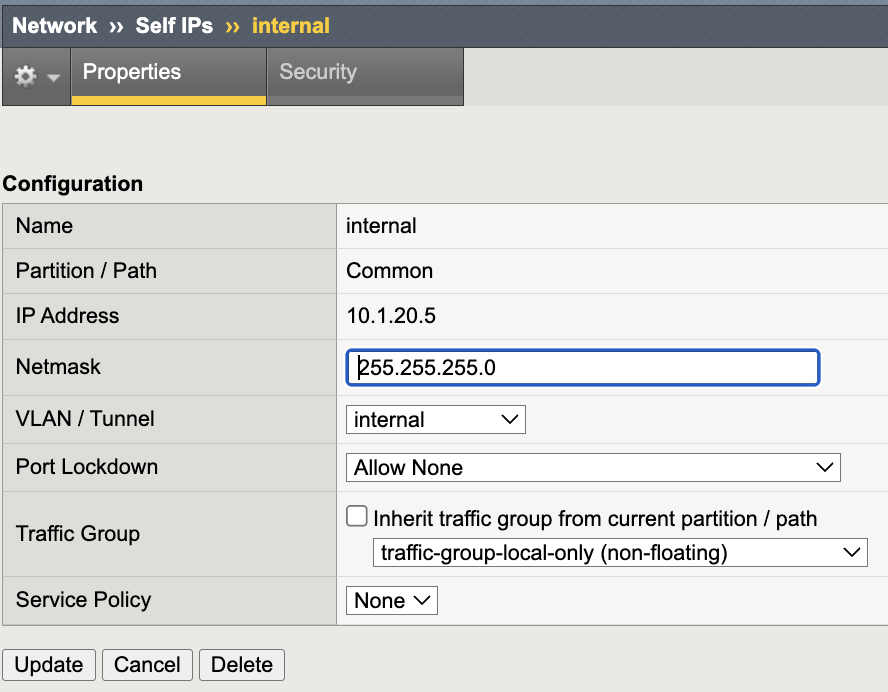
Internal Self IP (10.1.20.5)
Navigate to Network → Self IPs.
Click the internal Self IP (10.1.20.5).
Change Port Lockdown to Allow None.
Click Update.
External Self IP (10.1.10.5)
Navigate to Network → Self IPs.
Click the external Self IP (10.1.10.5).
Change Port Lockdown to Allow None.
Click Update.
Note
Capture a screenshot of the external Self IP set to Allow None and save it alongside the other lab images (Module 1).
Suggested filename:
self-ip-port-lockdown-04-external-selfip-allow-none.png
Note
Do not apply Allow None to a VLAN currently used for management access. Ensure OOB management access remains available before enforcing this control.
Step 5 – Re-Test from Data-Plane Host (Internal Data Plane)
Execution Context:
Host: Windows Jumphost
Network Interface: 10.1.20.0/24 (Internal Data-Plane Network)
Git Bash
Run the following commands:
timeout 2 bash -c "</dev/tcp/10.1.20.5/443" && echo "443 OPEN" || echo "443 BLOCKED"
timeout 2 bash -c "</dev/tcp/10.1.20.5/22"  && echo "22 OPEN"  || echo "22 BLOCKED"
Expected (secure state):
Port 22: BLOCKED
Port 443: BLOCKED
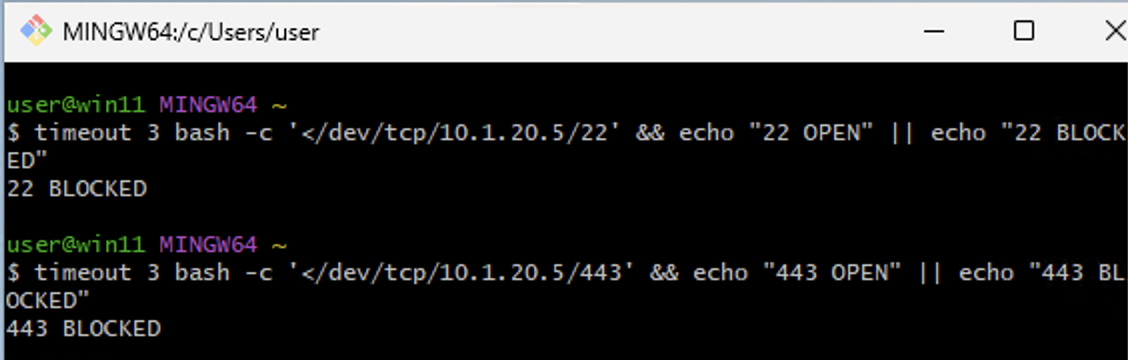
Post-remediation validation from the data-plane host showing control-plane services no longer reachable.
Note
ICMP echo responses may still succeed. Port Lockdown restricts control-plane services, not basic IP reachability.
Validation Summary
After remediation:
SSH not reachable on internal data-plane VLAN Self IP
HTTPS not reachable on internal data-plane VLAN Self IP
External / DMZ data-plane VLAN Self IP also uses Allow None
Control-plane services are not exposed on data-plane VLAN interfaces
Outer Layer Alignment
IP Allowlisting protects:
Who can access management services.
Self IP Port Lockdown protects:
Where management services are exposed.
Together they enforce:
Least privilege
Network segmentation
Control-plane isolation
Success Criteria
Internal and External data-plane VLAN Self IPs use Allow None
No administrative services reachable from data-plane hosts
Management interface access remains functional
No unintended exposure remains