F5 Analytics and Visibility Solutions > Class 5 - F5 Insight for ADSP (AppWorld 2026 | 2 Hours) Source | Edit on
Getting Started
Please follow the instructions provided by the instructor to start your lab and access your jump host.
Note
All work for this lab will be performed exclusively from your web browser. No installation or interaction with your local system is required.
Lab Topology
The following components have been included in your lab environment:
- 6 x F5 BIG-IP VE (v17.5 and v21.0)
- 1 x F5 Insight
- 1 x Ubuntu Noble - NGINX web services and Traffic Generation
Lab Components
The following table lists VLANS, IP Addresses and Credentials for all components:
| Component | VLAN/IP Address(es) | Credentials |
|---|---|---|
| F5 Insight | Management: 10.1.1.4 | admin / <Retrieve from UDF UI> |
| East BIG-IP | Management: 10.1.1.5; Clientside: 10.1.10.5/24; Serverside: 10.1.20.5/24 | admin / <Retrieve from UDF UI> |
| Central BIG-IP | Management: 10.1.1.6; Clientside: 10.1.10.6/24; Serverside: 10.1.20.6/24 | admin / <Retrieve from UDF UI> |
| West BIG-IP | Management: 10.1.1.7; Clientside: 10.1.10.7/24; Serverside: 10.1.20.7/24 | admin / <Retrieve from UDF UI> |
| Security BIG-IP | Management: 10.1.1.8; Clientside: 10.1.10.8/24; Serverside: 10.1.20.8/24 | admin / <Retrieve from UDF UI> |
| North BIG-IP-01 | Management: 10.1.1.11; Clientside: 10.1.10.11/24; Serverside: 10.1.20.11/24 | admin / <Retrieve from UDF UI> |
| North BIG-IP-02 | Management: 10.1.1.12; Clientside: 10.1.10.12/24; Serverside: 10.1.20.12/24 | admin / <Retrieve from UDF UI> |
Overview
- This lab is intended to provide a hands-on introduction to F5 Insight for ADSP. During this lab, attendees will utilize a UDF blueprint to deploy the lab infrastructure shown below to:
- Discover how applications are operating
- Discover how to improve application health
- Troubleshoot application health and propose solutions
- As illustrated above, the lab environment consists of the following:
- F5 BIG-IP(s) providing L4/L7 ADC Services
- NGINX providing web services
- Traffic Generator configured to generate application traffic simulating users
- F5 Insight with basic configuration complete
What is F5 Insight?
- Key Features in GA Release
- Guided Onboarding – Streamlined setup experience.
- F5 Compliant Dashboards – 20+ pre-built dashboards with 400+ panels.
- Home Page – Rules-based anomaly detection and BIG-IP metrics cards.
- AI Assistant – 10+ scenarios with inline dynamic charts; Using customer provided LLM (OpenAI, Anthropic and Local models ).
- SSLO and iRule Telemetry Log Ingestion – Dedicated dashboards and AIDF integration.
- Disaster Recovery – Cross data center disaster recovery with Active-Standby configuration.
- Fully Functional Licensing – Complete licensing integration with JWT token support.
- AIDF integration as an opt-in feature.
Note
WARNING: This lab uses a 3rd party API key - Please secure this like a password and never share.
Deploy blueprint and connect to F5 Insight
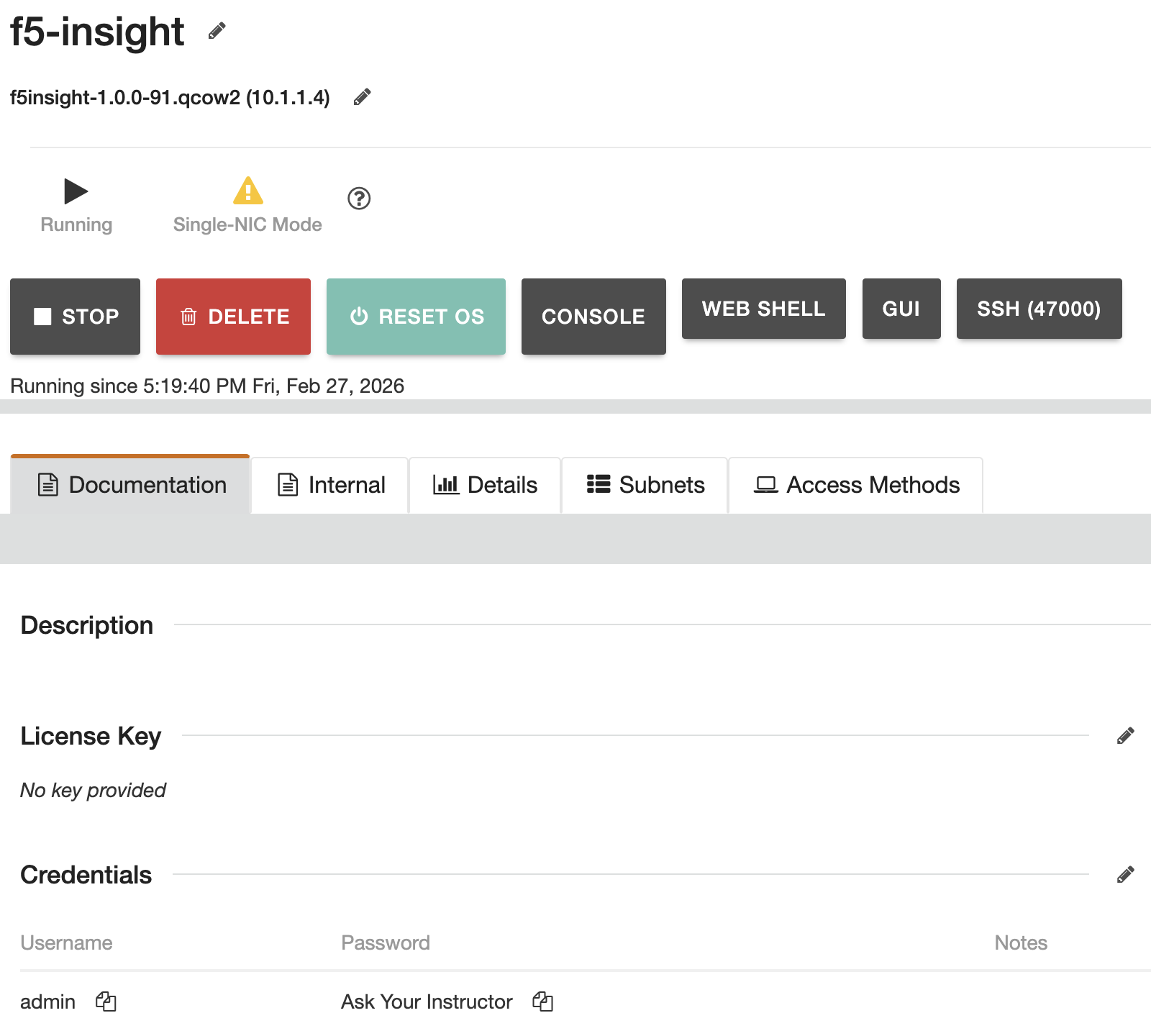
From the UDF console, search for and deploy the blueprint entitled AppWorld 2026 - F5 Insight for ADSP. Once the blueprint has finished deploying, access F5 Insight by selecting the GUI access link, (see below). Credentials for this lab can be viewed by accessing the guest(s) DOCUMENTATION tab.
Note
ATTENTION: Your environment already has the Insight, AIDF, and AI LLM keys installed. They will appear blank and if you adjust the settings it may erase the key.
Note
ATTENTION: The AI LLM key will automatically rotate every ~6 hours. No action needed by the student.
Go to Introduction