F5 BIG-IQ Centralized Management Lab > BIG-IQ Test Drive Labs Source | Edit on
Lab 2.13: Migrate AS3 application service(s) with its referenced objects from a BIG-IP to another BIG-IP
Note
Estimated time to complete: 15 minutes
In this lab, we are goin to show you how to use Ansible to migrate Application Services from one BIG-IP to another.
For the example, we are going to migrate a backend application service running on the Seattle BIG-IP to the San Jose BIG-IP (visit Getting Started page for more details on the lab topology.)
- This lab will be using the following F5 Ansible Galaxy role:
- bigiq_migrate_apps ansible Role: Migrate AS3 application service(s) with its referenced objects from a BIG-IP to another BIG-IP.
Lab environment access
If you have not yet visited the page Getting Started, please do so.
Tasks
- Let’s look at the Ansible playbook
bigiq_as3_migrate_apps.yml.
1 2 3 4 5 6 7 8 9 10 11 | - name: Migrate AS3 application service(s) from a BIG-IP to another.
include_role:
name: f5devcentral.bigiq_migrate_apps
vars:
dir_as3: /ansible/tmp
device_address: 10.1.1.7
tenant_to_migrate: backend
new_device_address: 10.1.1.11
new_tenant_name: backendnew
new_bigiq_app_name: "App Services migrated"
register: status
|
This playbook is using the bigiq_migrate_apps ansible role to move all AS3 application services from 10.1.1.7 in tenant backend to 10.1.1.11 in a tenant backendnew.
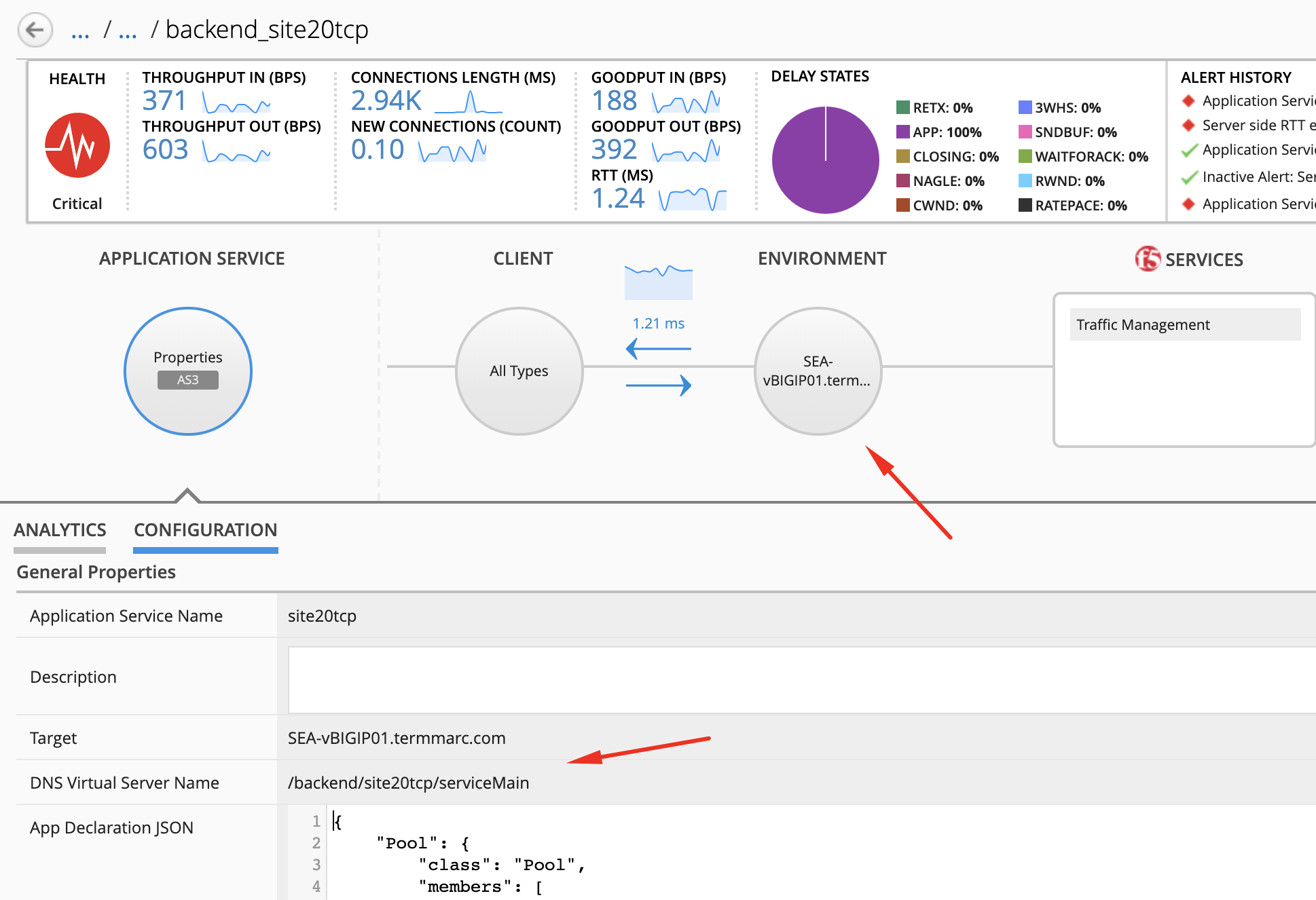
- Login on BIG-IQ as david, go to Applications tab and navigate under IT_apps > backend_site24tcp.
Connect via
SSHorWeb Shellto the system Ubuntu Lamp Server. (if you use the Web Shell, login as f5student first: su - f5student) and add the bigiq_migrate_apps role to the Ansible runner container:cd /home/f5/f5-ansible-bigiq-as3-demo vi Dockerfile
Add the following line at the end:
RUN ansible-galaxy install f5devcentral.bigiq_migrate_apps --force
Build the ansible runner docker:
docker build -t f5-ansible-runner .
Check ansible version and galaxy roles installed:
./ansible_helper ansible-playbook --version
./ansible_helper ansible-galaxy list
Now, let’s execute the playbook:
./ansible_helper ansible-playbook /ansible/bigiq_as3_migrate_apps.yml -i /ansible/hosts
When the tasks are completed, check the PLAY RECAP and make sure there nothing failed.
PLAY RECAP *************************************************************************************************************** big-iq-cm-1.example.com : k=64 changed=11 unreachable=0 failed=0 skipped=28 rescued=0 ignored=0
- Back on BIG-IQ on the Applications tab and navigate under App Services migrated > backendnew_site24tcp.
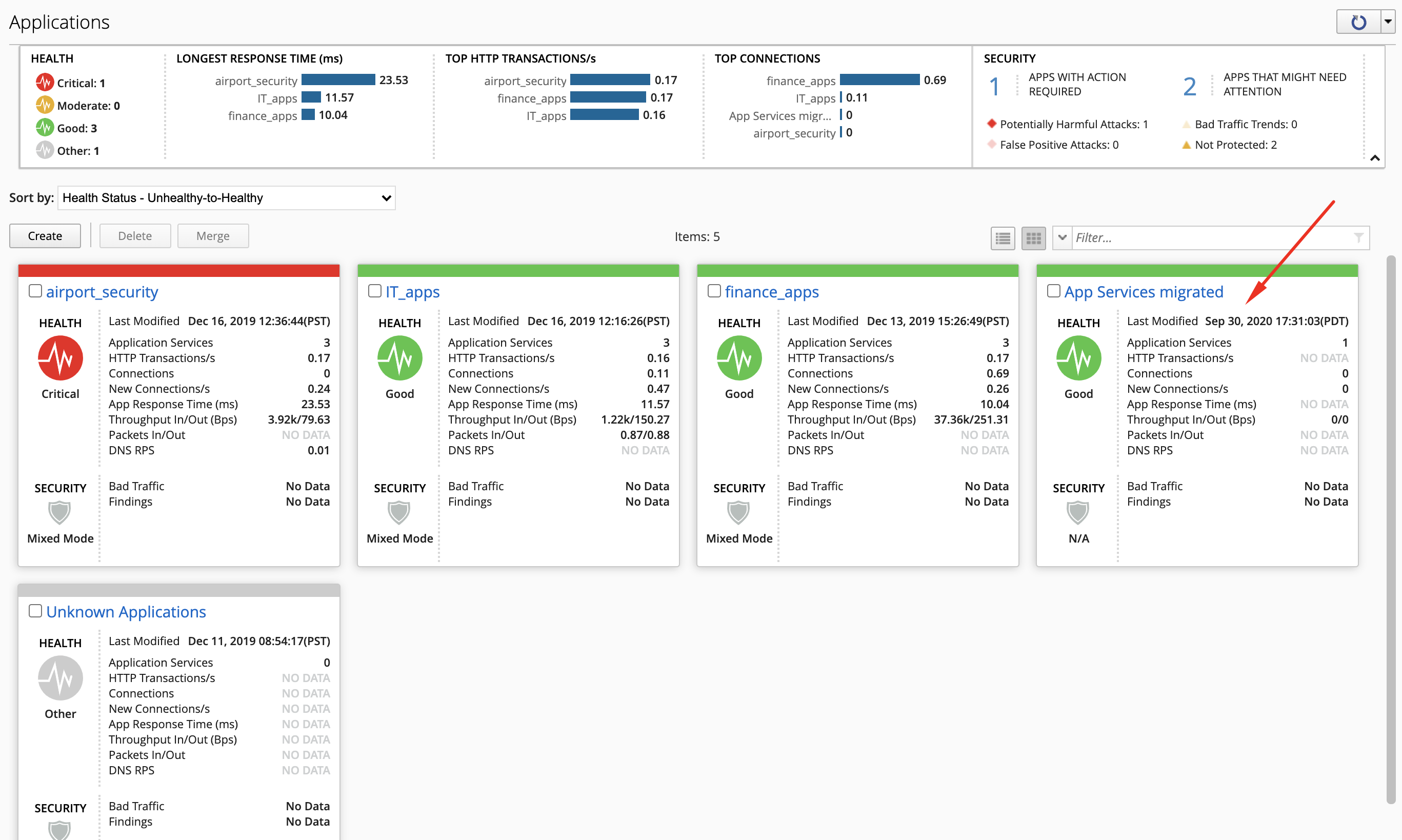
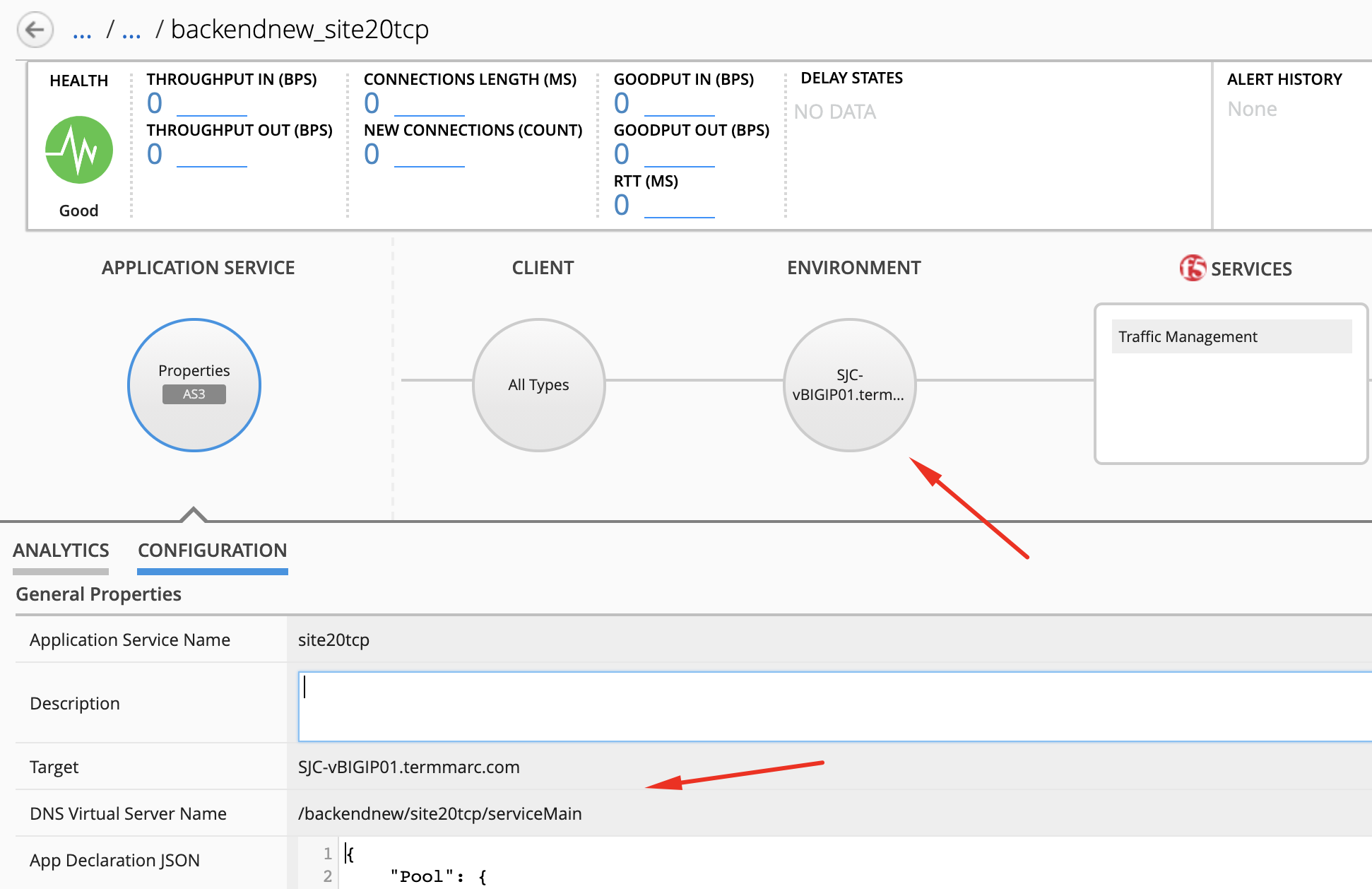
Now we have validated the backend application services have been migrated over to
10.1.1.11, let’s remove the old application services on10.1.1.7. Go back on the Ubuntu Lamp Server and edit the ansible playbook:cd /home/f5/f5-ansible-bigiq-as3-demo vi bigiq_as3_migrate_apps.yml
Let’s add the 2 variables to the playbook remove_old_tenant and cleanup_only which will only run the part where we remove the old tenant on 10.1.1.7.
1 2 3 4 5 6 7 8 9 10 11 12 13 | - name: Migrate AS3 application service(s) from a BIG-IP to another.
include_role:
name: f5devcentral.bigiq_migrate_apps
vars:
dir_as3: /ansible/tmp
device_address: 10.1.1.7
tenant_to_migrate: backend
new_device_address: 10.1.1.11
new_tenant_name: backendnew
new_bigiq_app_name: "App Services migrated"
remove_old_tenant: true
cleanup_only: true
register: status
|
Note
This lab execute the creation of the app services in a new tenant and deletion of the old tenant in 2 steps but they could be done in 1 step.
In this case, just add remove_old_tenant: true in the initial playbook.
Now, let’s execute the playbook again with the new variables:
./ansible_helper ansible-playbook /ansible/bigiq_as3_migrate_apps.yml -i /ansible/hosts
Answer yes to the following question:
Are you sure you want to delete tenant backend and all its content on 10.1.1.7?

Do you want to proceed? (yes/no):
Back on the BIG-IQ Application dashboard, verify the Application Service backend_site24tcp under IT_apps has been removed.