F5 Application Delivery Controller Solutions > BIG-IP Security Essentials > Middle Layer – Authentication and Protocol Hardening > Lab Source | Edit on
Administrative TLS Hardening – TMUI & iControl REST
Administrative HTTPS services on the BIG-IP management interface must enforce modern TLS versions and strong cipher suites.
This lab hardens TLS posture for:
TMUI (HTTPS management interface)
iControl REST (management-plane API)
This mechanism is a critical Middle Layer cryptographic control.
This lab focuses on management-plane TLS hardening. Data-plane TLS hardening for application virtual servers is covered separately in the Data Plane TLS and Cipher Hardening lab.
Executive Summary
Administrative interfaces must not support legacy TLS versions or weak cipher suites.
Weak protocol exposure on the management interface increases the risk of downgrade attacks, cryptographic exploitation, and compliance violations.
Hardening must be validated using deterministic handshake testing.
Administrative TLS Exposure Surface
Interface |
Port |
Purpose |
|---|---|---|
TMUI |
TCP 443 |
Administrative web interface |
iControl REST |
TCP 443 |
Management API |
Both services share the BIG-IP management-plane HTTPS stack and are protected by the same TLS configuration enforced through sys httpd.
Threat Scenario
In the absence of administrative TLS hardening:
Attackers may negotiate TLS 1.0 or TLS 1.1.
Weak cipher suites may be offered.
Downgrade attacks may force weaker protocol selection.
Credential interception risk increases under legacy crypto.
Compliance audits (PCI DSS, NIST) may flag non-compliant exposure.
Administrative TLS hardening reduces these risks by enforcing modern cryptographic standards on management-plane services.
Objective
This lab will:
Observe baseline TLS posture of the management interface
Harden management TLS protocol versions
Enforce strong cipher posture
Validate deterministic protocol enforcement
Confirm administrative access remains functional
Warning
Modifying management-plane TLS settings can result in administrative lockout.
Before applying changes:
Ensure console access is available.
Confirm an authorized administrative host is accessible.
Do NOT close your current session until validation succeeds.
Hardened Enterprise Reference Design
The management interface should:
Allow TLS 1.2 only
Disable TLS 1.0 and TLS 1.1
Enforce strong ECDHE-based cipher suites
Align with enterprise cryptographic policy
Middle Layer Cohesion
Within the Middle Layer:
MFA validates administrative identity.
Administrative TLS hardening protects management transport security.
API Access Control enforces privilege boundaries.
Together, these controls prevent credential abuse, downgrade attacks, and unauthorized configuration changes.
Phase 1 – Baseline Management TLS Observation
Execution Context:
Host: Windows Jump Host
Tool: Git Bash (OpenSSL client)
Network Interface: Management Network (10.1.1.0/24)
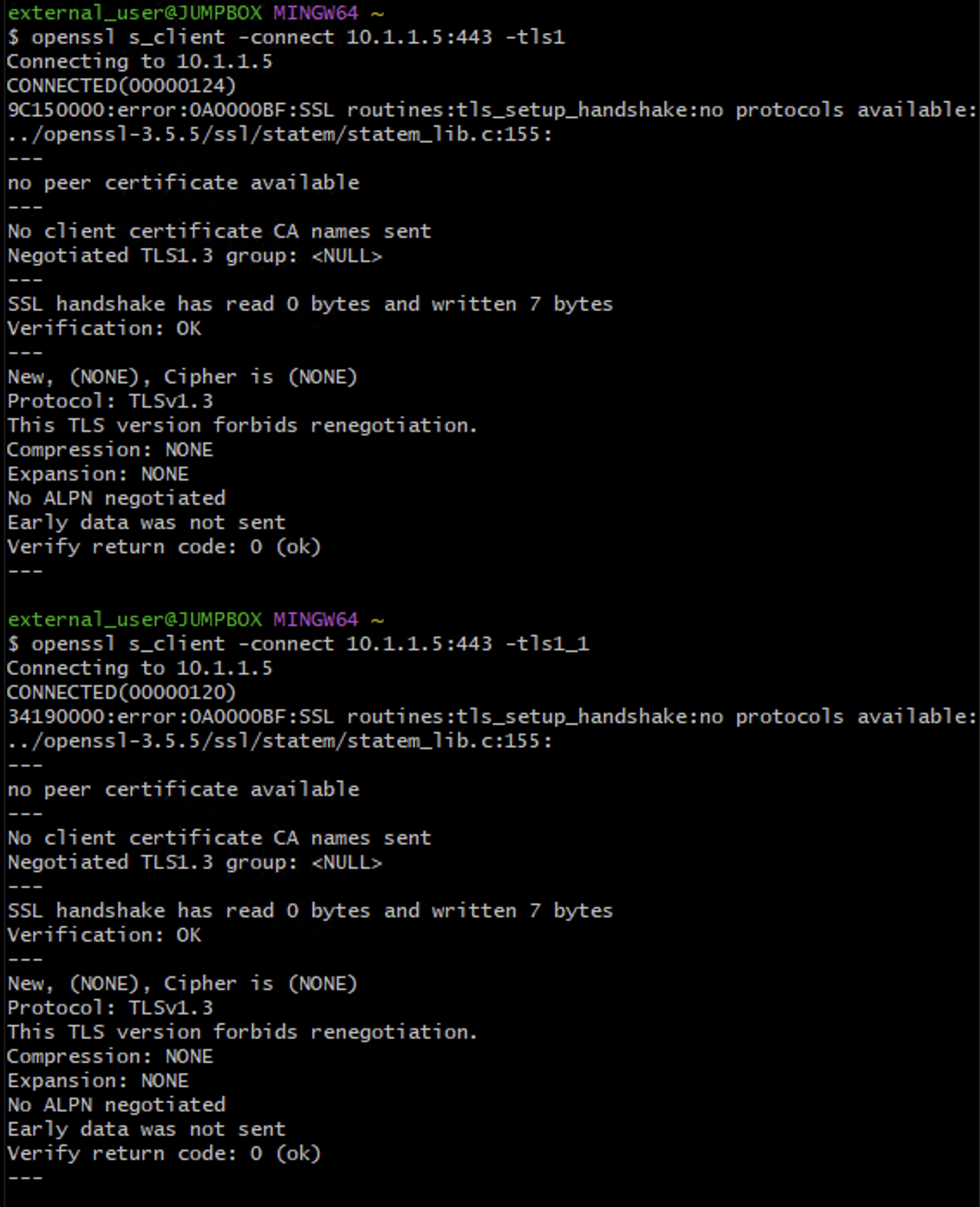
Test TLS 1.0:
openssl s_client -connect 10.1.1.5:443 -tls1
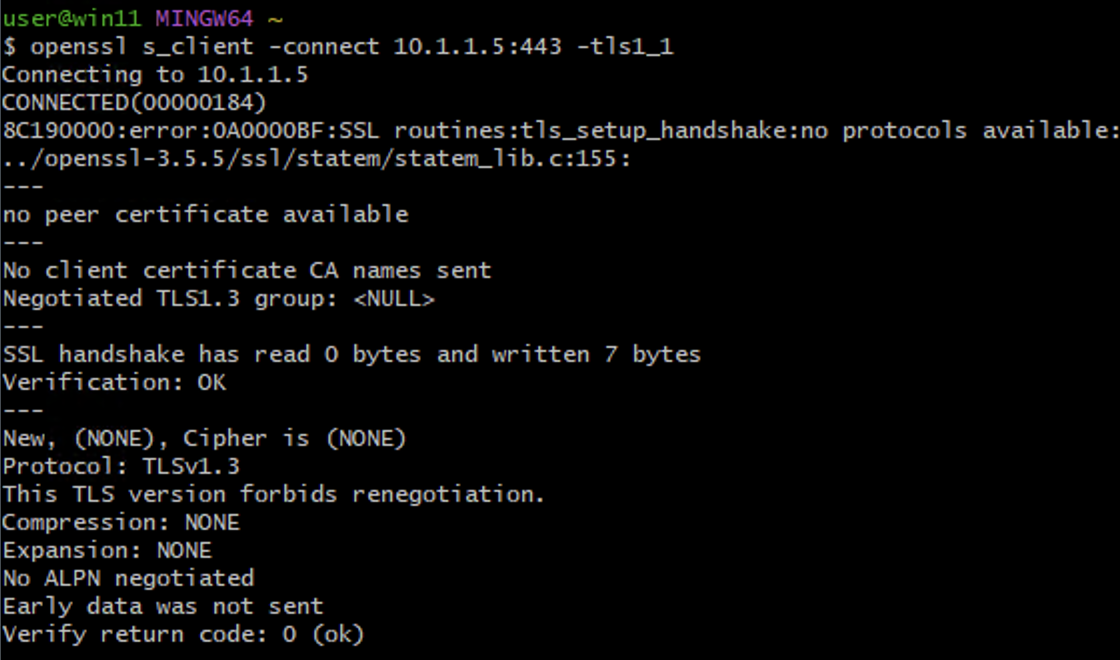
Test TLS 1.1:
openssl s_client -connect 10.1.1.5:443 -tls1_1
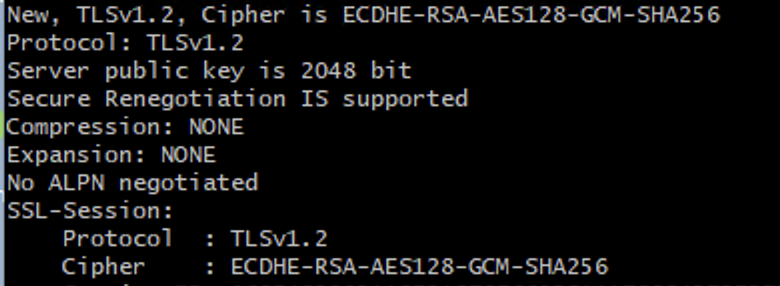
Test TLS 1.2:
openssl s_client -connect 10.1.1.5:443 -tls1_2
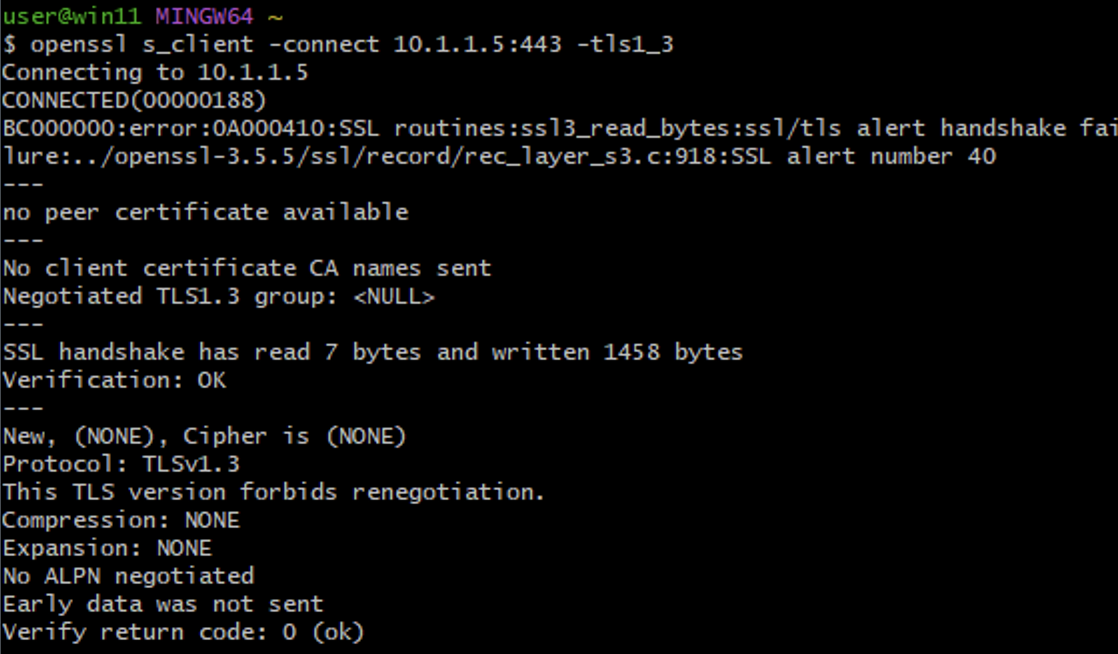
Test TLS 1.3:
openssl s_client -connect 10.1.1.5:443 -tls1_3
If TLS 1.0 or TLS 1.1 succeeds, legacy protocol exposure is confirmed.
Phase 2 – Harden Management TLS Configuration (TMOS 17.5.x)
In TMOS 17.5.x, management TLS is configured using:
tmsh modify sys httpd
It is NOT configured via sys db variables or direct file edits.
Step 1 – Disable Legacy Protocols
Open an SSH Session to BIG-IP
Execution Context:
Host: Windows Jump Host
Tool: Git Bash (SSH client)
Network Interface: Management Network (10.1.1.0/24)
Connect to the BIG-IP management interface:
ssh admin@10.1.1.5

Note: Keep this SSH session open while applying TLS configuration changes.
Closing the session before validation may result in administrative lockout.
Enter the administrator password when prompted.
After login you should see the BIG-IP command prompt:
admin@(bigip-01)(Active)(/Common)(tmos)#
tmsh modify sys httpd ssl-protocol "all -SSLv2 -SSLv3 -TLSv1 -TLSv1.1"
Verify:
tmsh list sys httpd ssl-protocol
Expected result:
ssl-protocol "all -SSLv2 -SSLv3 -TLSv1 -TLSv1.1"

Step 2 – Enforce Balanced Enterprise Cipher Posture
Execution Context:
Host: BIG-IP (active SSH session)
Interface: Management Plane
Shell: tmsh
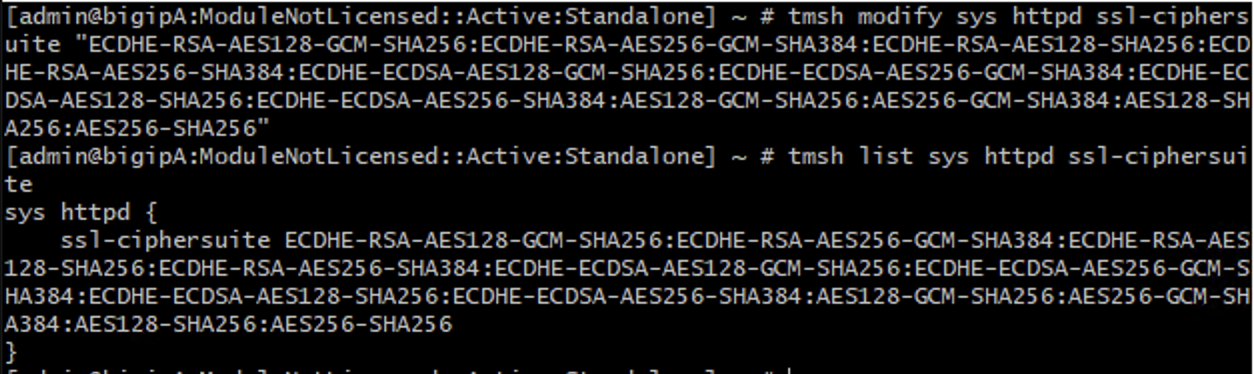
Apply reduced cipher list:
tmsh modify sys httpd ssl-ciphersuite "ECDHE-RSA-AES128-GCM-SHA256:ECDHE-RSA-AES256-GCM-SHA384:ECDHE-ECDSA-AES128-GCM-SHA256:ECDHE-ECDSA-AES256-GCM-SHA384:AES128-GCM-SHA256:AES256-GCM-SHA384"
Verify:
tmsh list sys httpd ssl-ciphersuite
Phase 3 – Deterministic Validation
Execution Context:
Host: Windows Jump Host
Tool: Git Bash (OpenSSL client)
Network Interface: Management Network (10.1.1.0/24)
Test TLS 1.0 (Expected: Failure)
openssl s_client -connect 10.1.1.5:443 -tls1
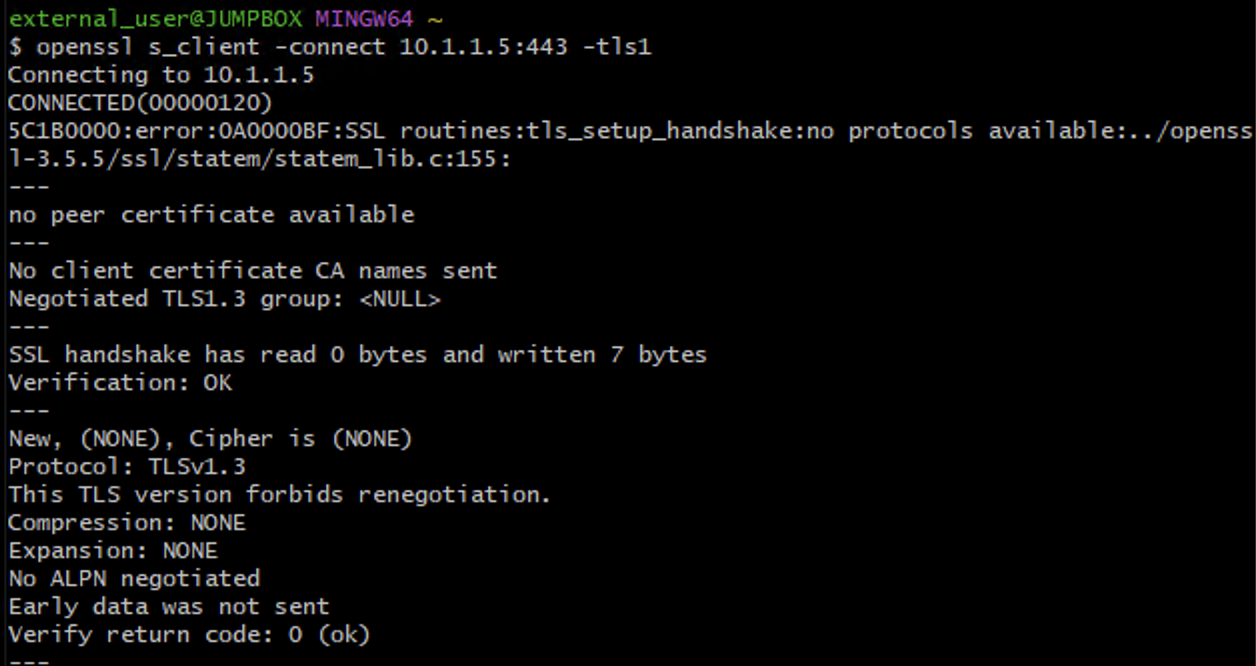
Test TLS 1.1 (Expected: Failure)
openssl s_client -connect 10.1.1.5:443 -tls1_1
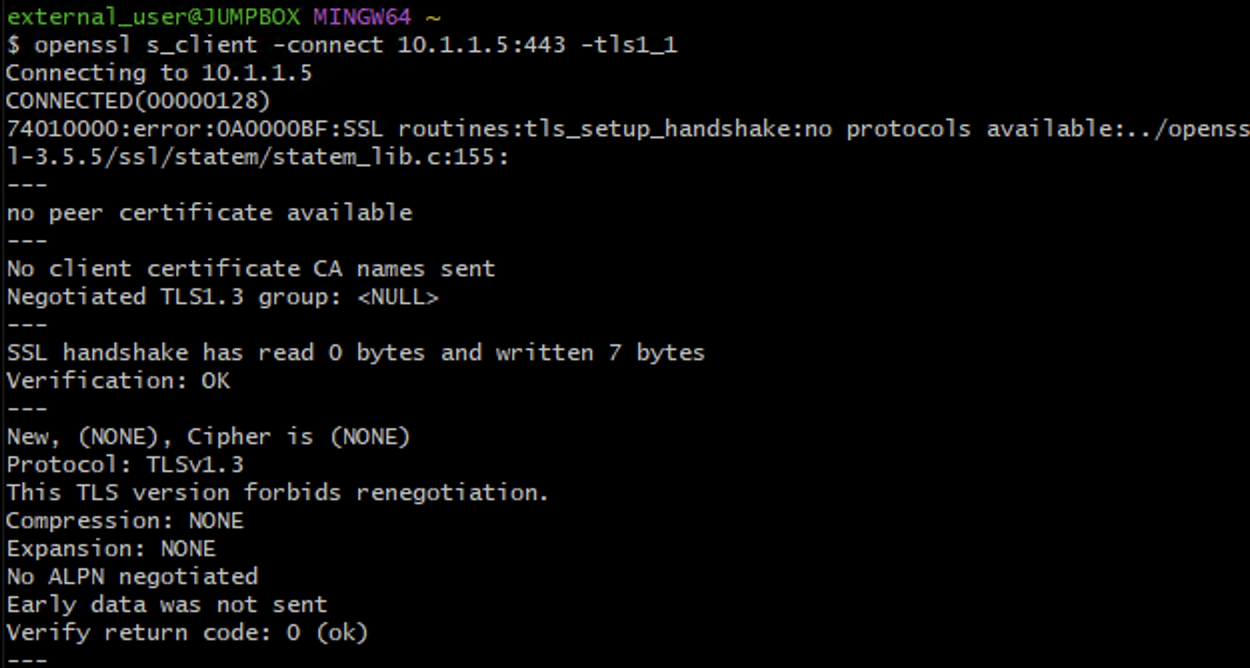
Test TLS 1.2 (Expected: Success)
openssl s_client -connect 10.1.1.5:443 -tls1_2
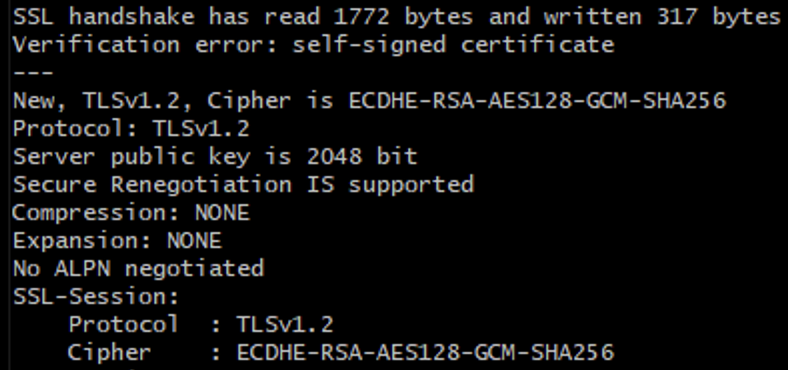
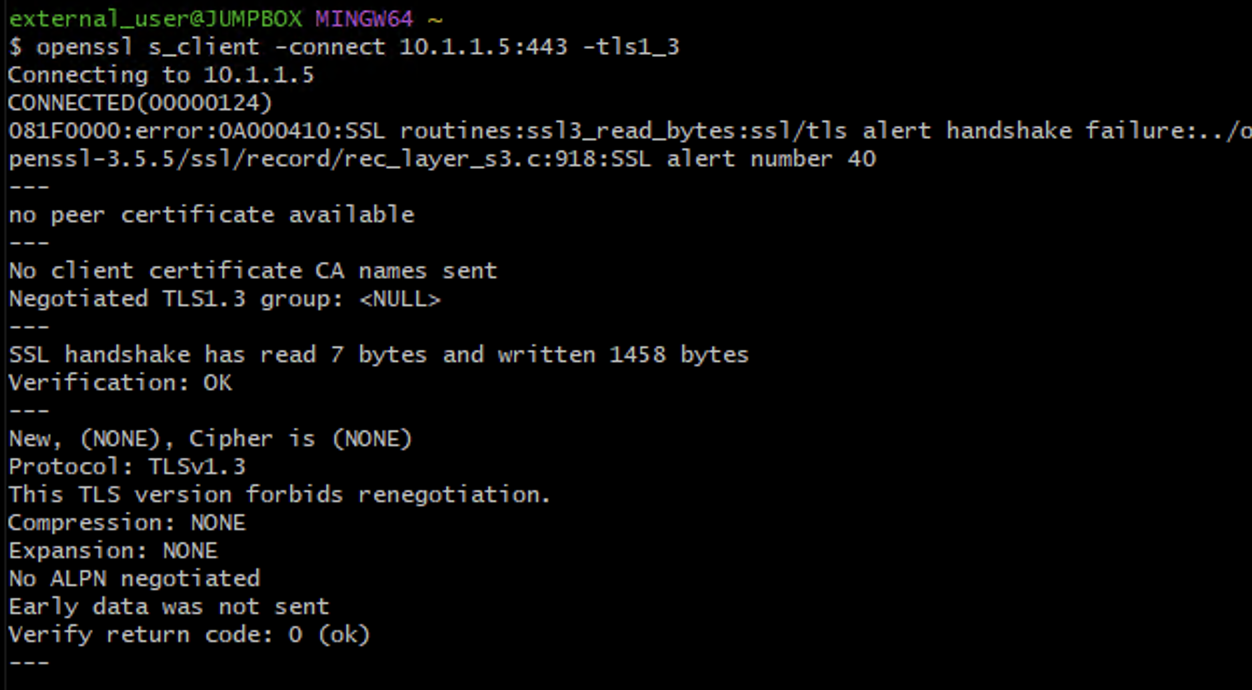
Test TLS 1.3 (Version-Dependent)
openssl s_client -connect 10.1.1.5:443 -tls1_3
Optional – Weak Cipher Validation
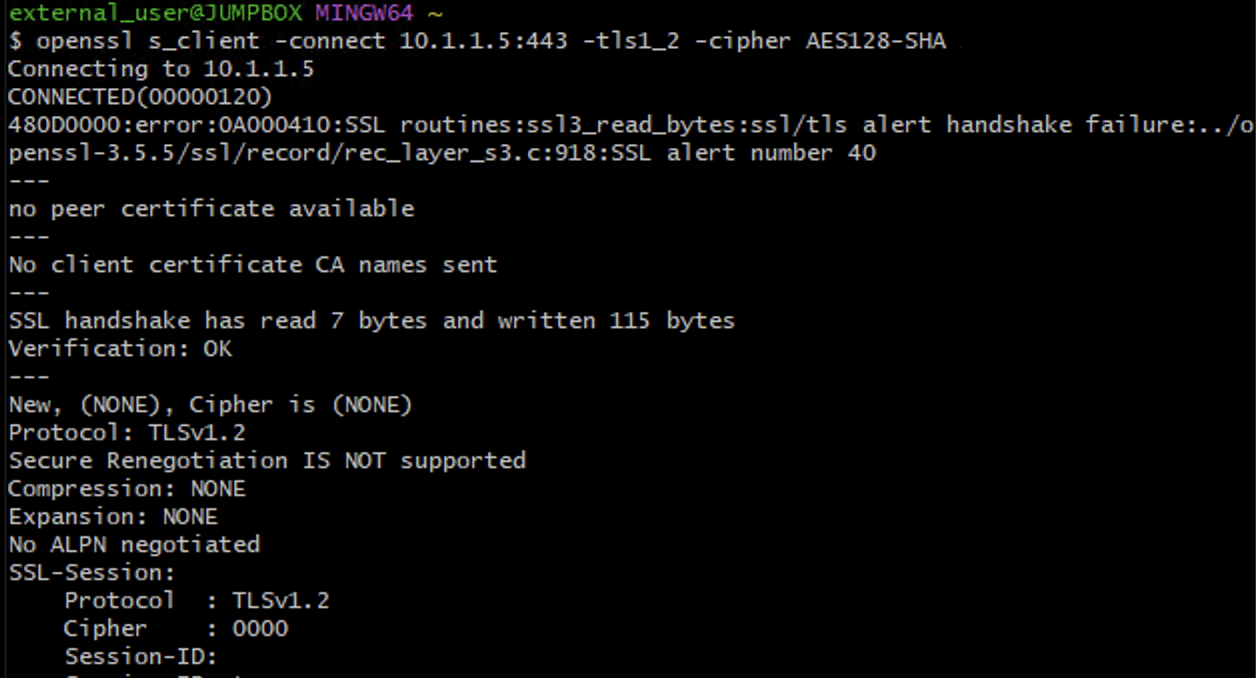
Attempt deprecated SHA1 cipher:
openssl s_client -connect 10.1.1.5:443 -tls1_2 -cipher AES128-SHA
Cryptographic Enforcement Validation Matrix
Test Case |
Expected Result |
|---|---|
TLS 1.0 handshake |
Fail |
TLS 1.1 handshake |
Fail |
TLS 1.2 handshake |
Success |
TLS 1.3 handshake |
Version-dependent |
Weak cipher negotiation attempt |
Fail |
Security Controls Validated
Control |
Validated |
|---|---|
Legacy protocol elimination |
✔ |
Strong cipher enforcement |
✔ |
Deterministic handshake validation |
✔ |
Management-plane cryptographic hardening |
✔ |
Success Criteria
TLS 1.0 and TLS 1.1 are disabled on the management interface
TLS 1.2 negotiates successfully
Weak SHA1-based ciphers are not offered
Administrative access remains functional
Deterministic enforcement confirmed via handshake testing