F5 Application Delivery Controller Solutions > BIG-IP Security Essentials > Middle Layer – Authentication and Protocol Hardening > Lab Source | Edit on
Data Plane TLS and Cipher Hardening
TLS and cipher hardening reduces the risk of cryptographic downgrade, weak cipher negotiation, and non-compliant protocol exposure.
In the Middle Layer, hardened TLS profiles enforce modern protocol versions and strong cipher suites for application traffic on the BIG-IP data plane.
This lab focuses on data-plane TLS enforcement for application virtual servers. Administrative TLS hardening for TMUI is addressed separately.
This mechanism is a critical Middle Layer cryptographic control.
Executive Summary
Applications must enforce modern TLS versions and strong cipher suites. Legacy protocols and weak cryptographic algorithms must be disabled unless explicitly required and formally risk-approved.
Hardening must be validated using deterministic handshake testing — not configuration inspection alone.
Data Plane TLS Exposure Surface
Interface |
Port |
Purpose |
|---|---|---|
HTTPS Virtual Server |
TCP 443 |
Application TLS termination |
TLS enforcement occurs at the BIG-IP virtual server through the configured Client SSL profile.
Data Plane TLS Enforcement Architecture
Threat Scenario
In the absence of TLS hardening:
Legacy clients may negotiate TLS 1.0 or 1.1.
Weak ciphers (e.g., 3DES, RC4) may be offered.
Downgrade attacks may force weaker protocol selection.
Compliance audits (PCI DSS, NIST) may flag non-compliant exposure.
Sensitive application traffic may be cryptographically weakened.
TLS hardening reduces this risk by enforcing modern protocol and cipher negotiation at the data plane.
Objective
This lab will:
Inspect an existing HTTPS virtual server
Observe baseline TLS posture
Create a hardened Client SSL profile
Apply hardened configuration to a virtual server
Validate deterministic protocol enforcement
Confirm weak protocols and ciphers are eliminated
Hardened Enterprise Reference Design
The goal is to standardize strong TLS posture at the BIG-IP data plane.
Note
Use dedicated SSL profiles. Never modify built-in profiles directly.
Middle Layer Cohesion
Within the Middle Layer:
MFA protects administrative authentication
TLS and Cipher Hardening protects transport confidentiality and integrity
API Access Control protects administrative authorization
Together, these controls prevent credential abuse, downgrade attacks, and privilege misuse.
Pre-Provisioned Lab Environment
The lab environment includes:
A functional HTTPS virtual server
Associated pool and backend members
Default
clientsslprofile applied
Students are not required to build the baseline application service.
Students will configure BIGIP-01.
Test traffic originates from the Windows Jump Host (10.1.10.10).
Phase 1 – Inspect Baseline HTTPS Service
Step 1 – Locate HTTPS Virtual Server
Navigate to Local Traffic → Virtual Servers.
Identify the preconfigured HTTPS virtual server (example:
primary-app-site-1-https-vip).Confirm:
Destination Address:
10.1.10.50Service Port:
443 (HTTPS)SSL Profile (Client):
clientsslDefault Pool assigned
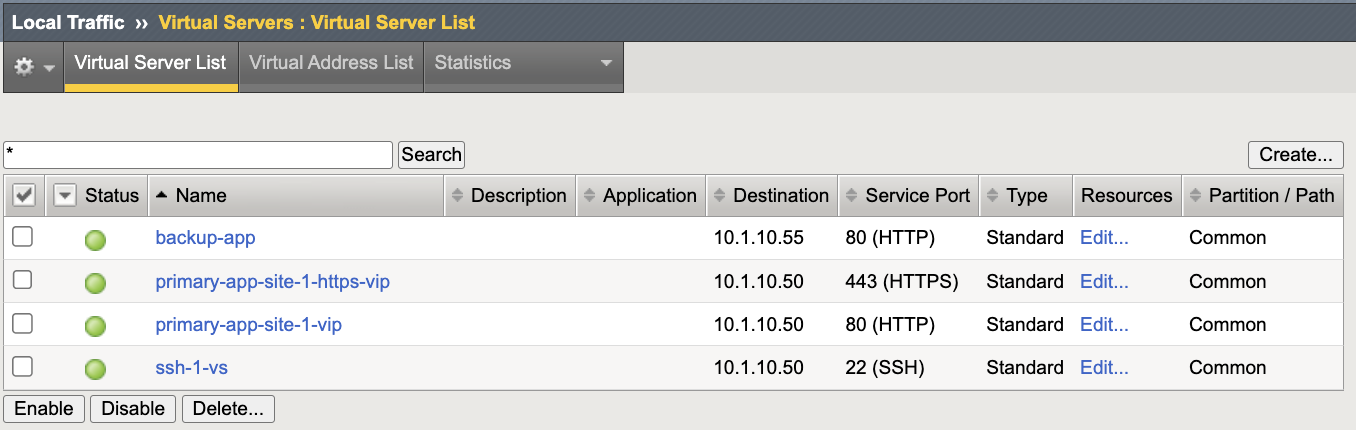
Step 2 – Confirm Backend Health
Navigate to Local Traffic → Pools.
Identify the associated pool.
Confirm:
Members are green (Available)
Health monitor is functioning
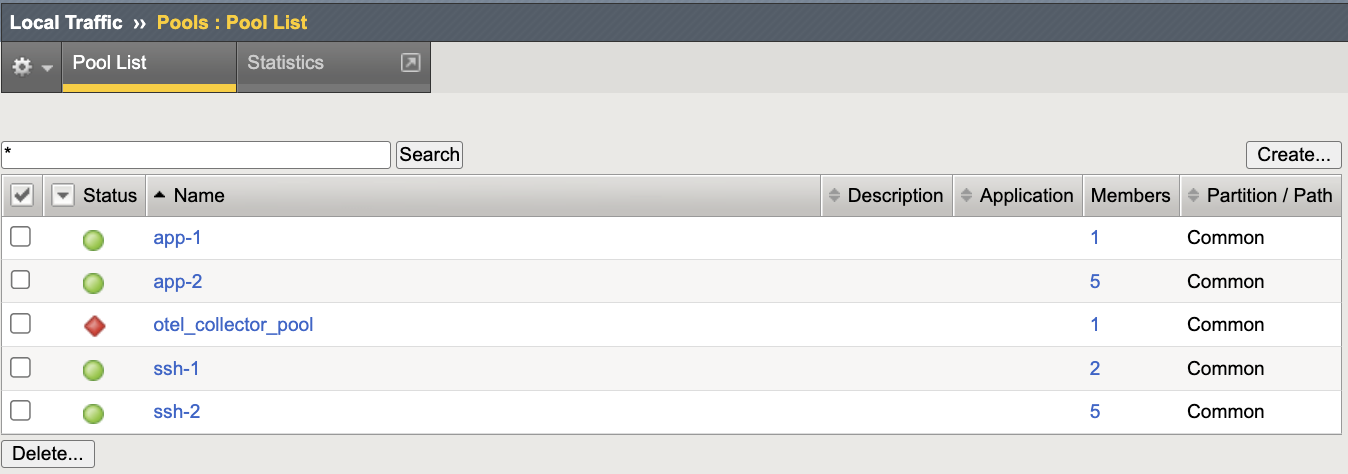
Phase 2 – Baseline TLS Observation
Execution Context:
Host: Windows Jump Host (10.1.10.10)
Tool: Git Bash (OpenSSL client)
Network Interface: External / Client Network (10.1.10.0/24)
Open Git Bash on the Windows Jump Host.
Note
The openssl s_client command produces verbose output.
To view only the negotiated protocol and cipher, you may optionally filter the output:
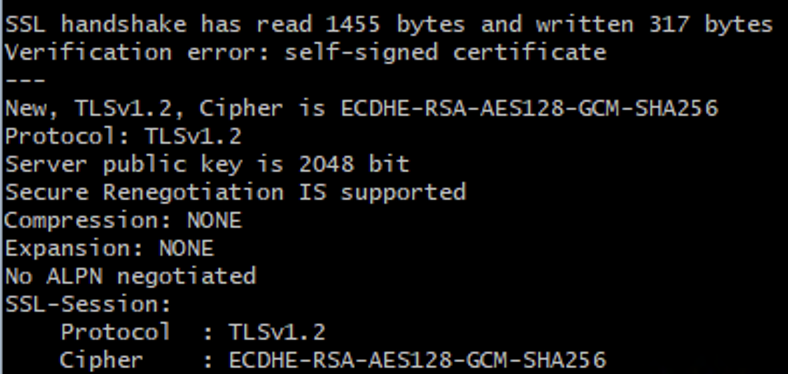
openssl s_client -connect 10.1.10.50:443 -tls1_2 2>/dev/null | grep -E "Protocol|Cipher"
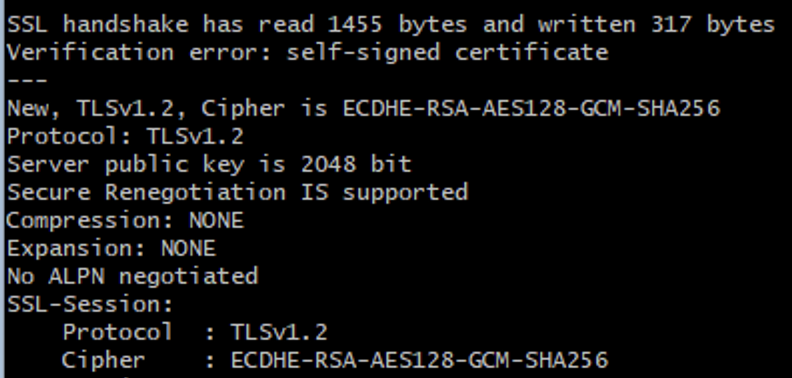
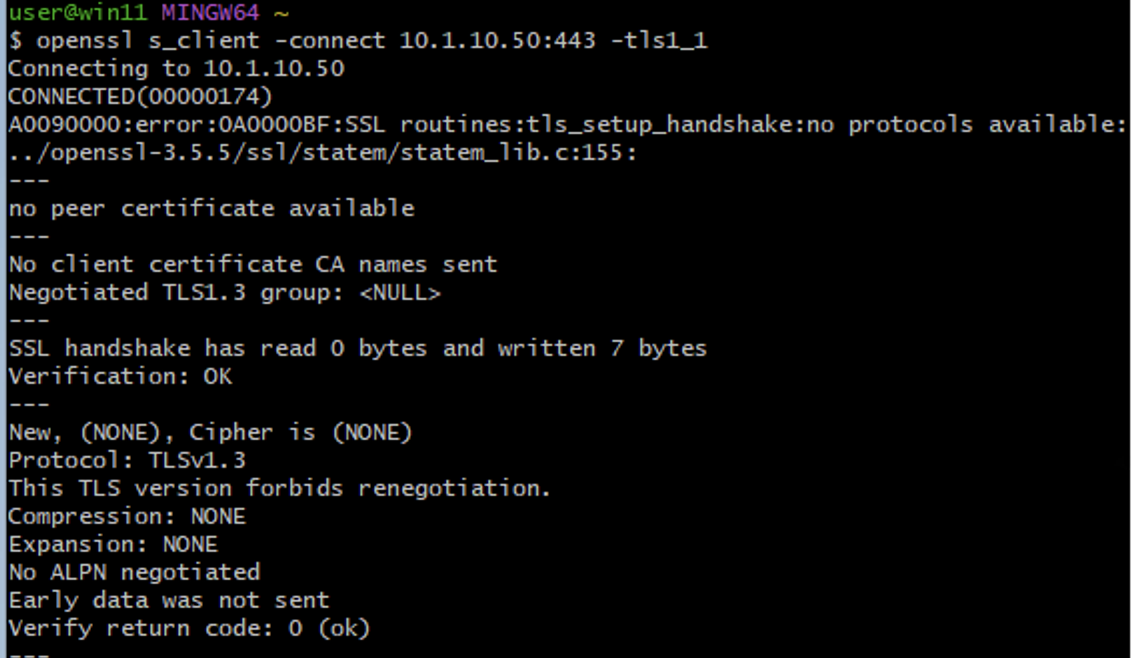
Test TLS 1.0 (Expected: Likely Success)
openssl s_client -connect 10.1.10.50:443 -tls1
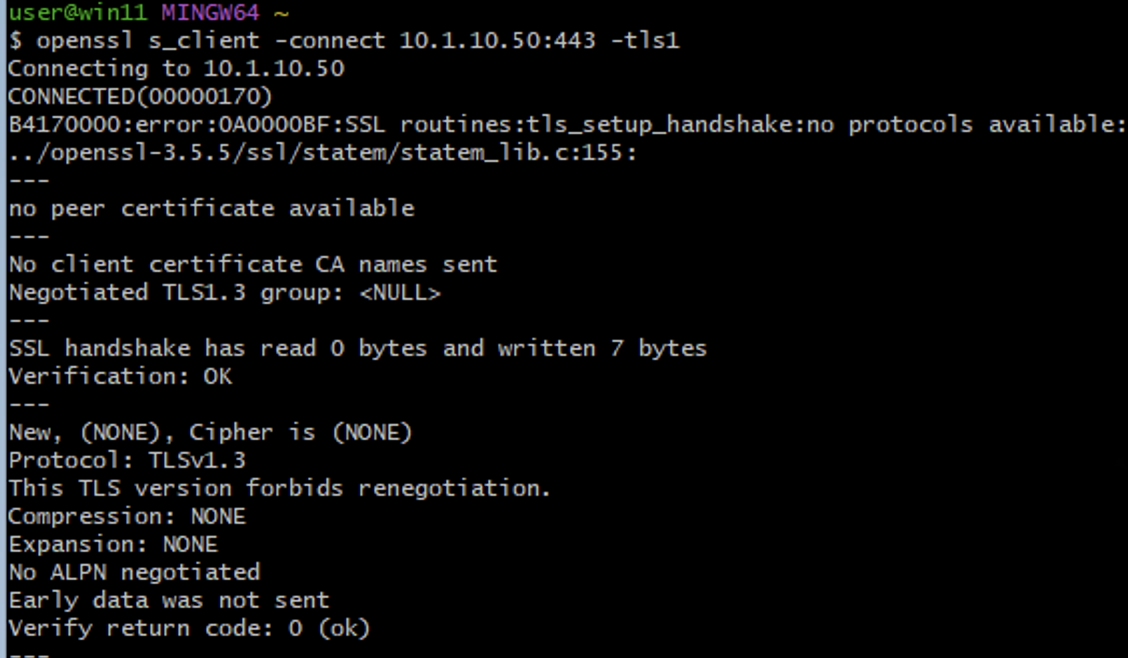
If TLS 1.0 or TLS 1.1 succeeds, legacy protocol exposure is confirmed.
Phase 3 – Create Hardened Client SSL Profile
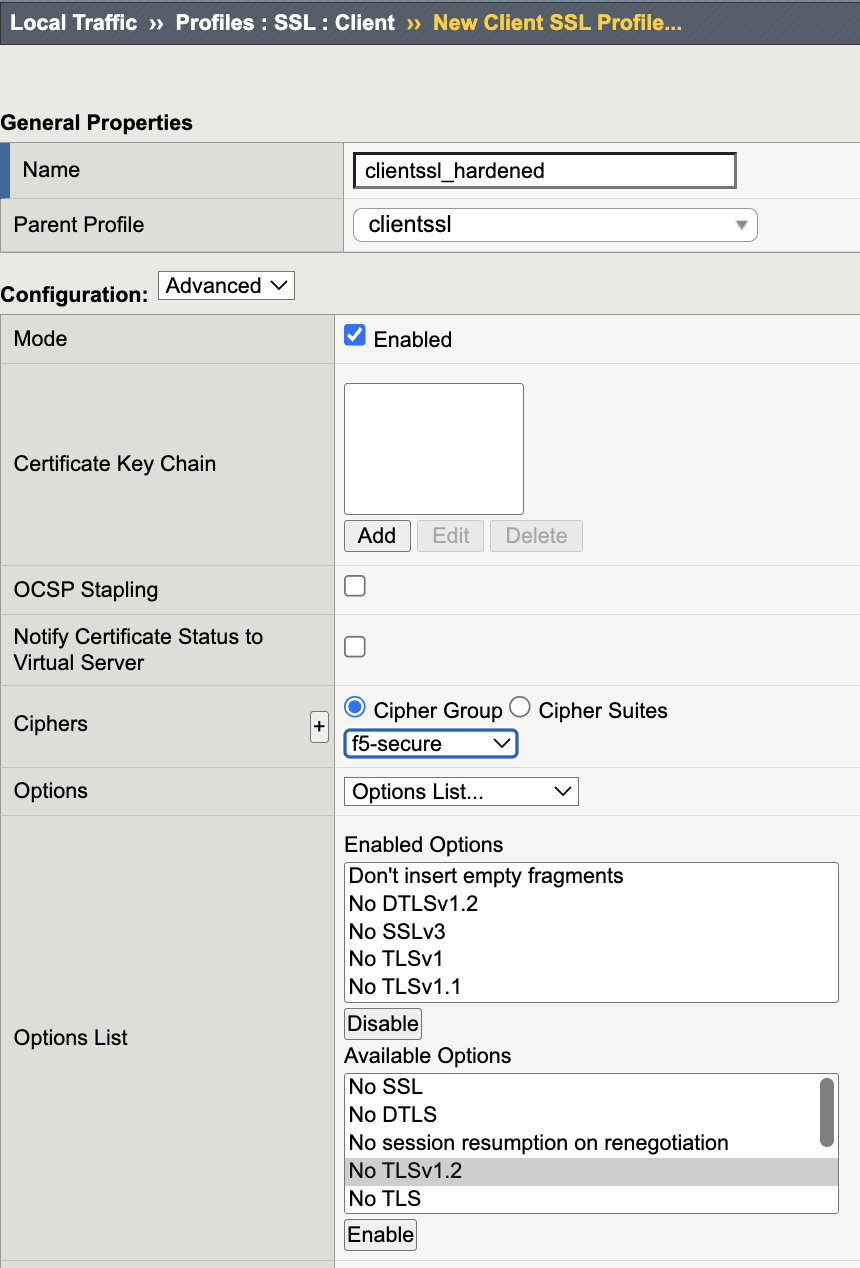
Navigate to Local Traffic → Profiles → SSL → Client → Create.
Configure:
Name:
clientssl_hardenedParent Profile:
clientssl
Disable:
SSLv3
TLS 1.0
TLS 1.1
Enable:
TLS 1.2
TLS 1.3
Set the cipher group:
f5-secure
Note
TLS 1.3 cipher suites are managed independently from legacy cipher strings in newer TMOS versions.
Ensure TLS 1.3 posture aligns with enterprise cryptographic policy.
Click Finished.
Phase 4 – Apply Hardened Profile
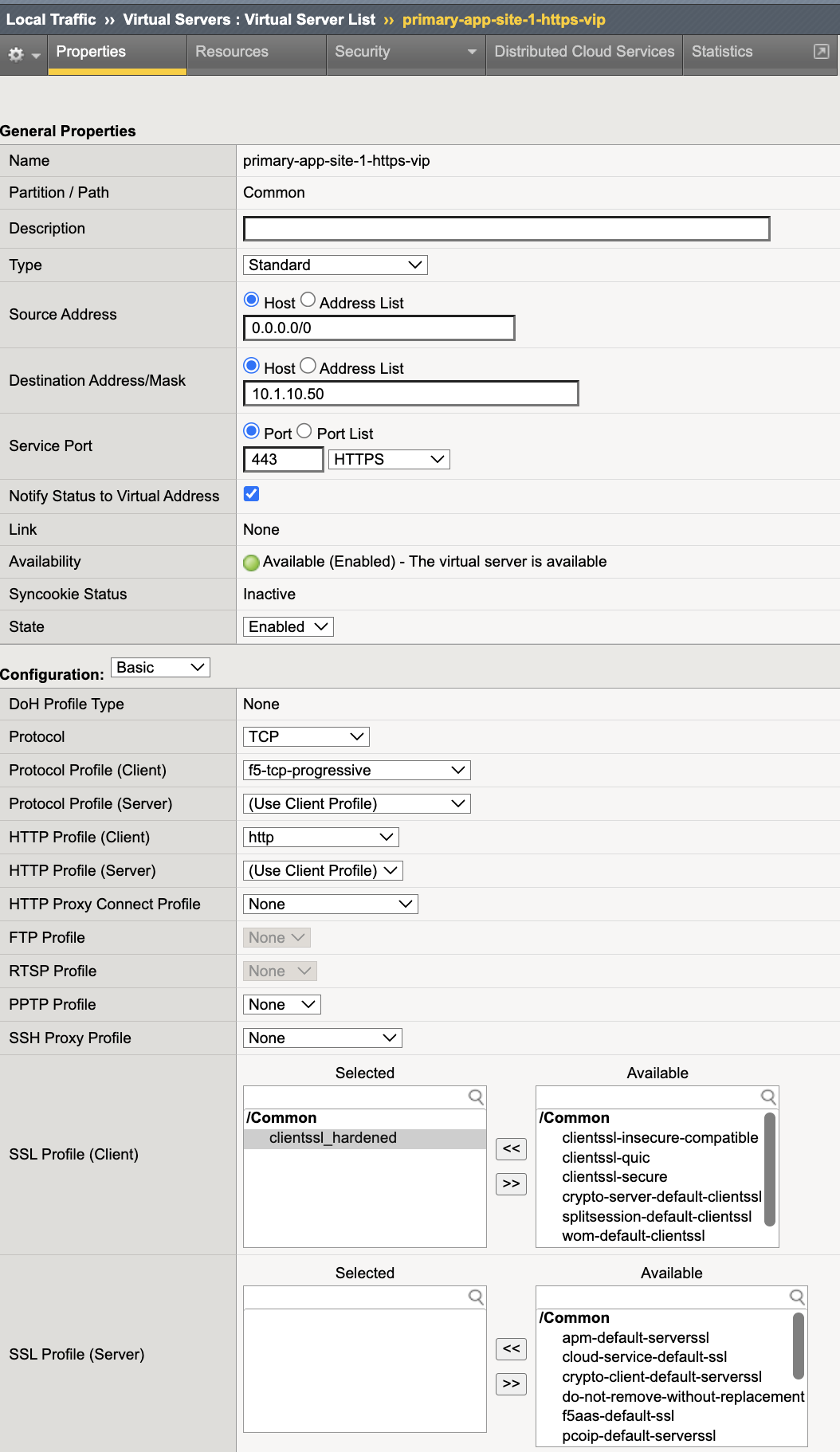
Navigate to Local Traffic → Virtual Servers.
Select
primary-app-site-1-https-vip.Replace the Client SSL profile with:
clientssl_hardenedClick Update.
Phase 5 – Deterministic Validation
Execution Context:
Host: Windows Jump Host (10.1.10.10)
Tool: Git Bash (OpenSSL client)
Network Interface: External / Client Network (10.1.10.0/24)
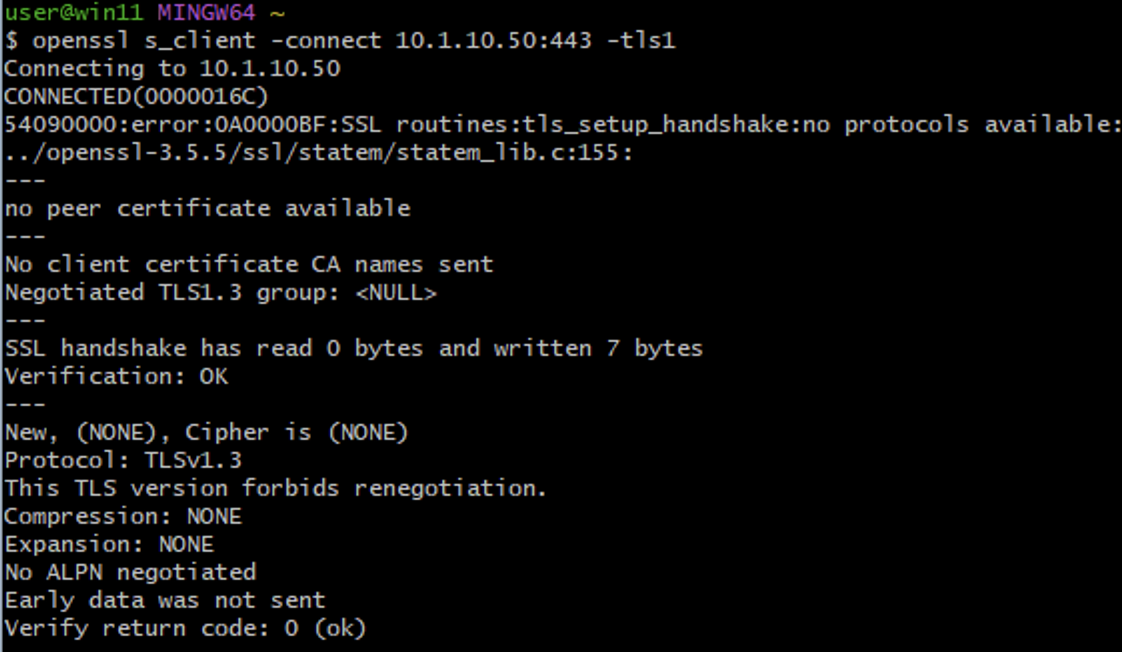
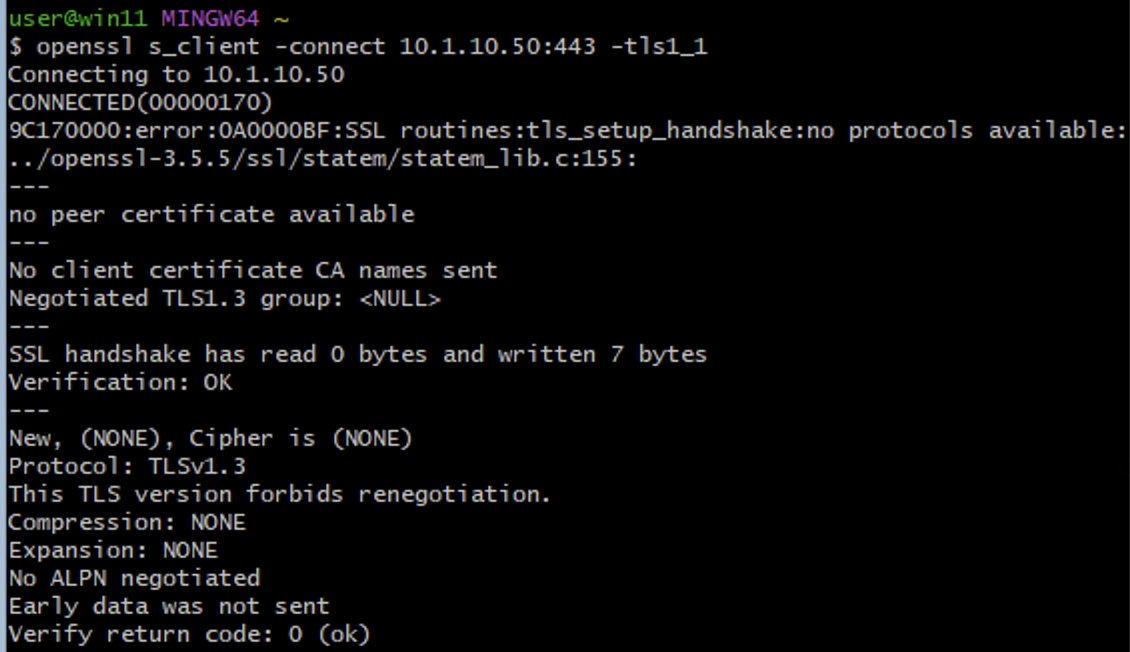
Test TLS 1.0 (Expected: Failure)
openssl s_client -connect 10.1.10.50:443 -tls1
Expected result:
Handshake failure
No cipher negotiated
Test TLS 1.1 (Expected: Failure)
openssl s_client -connect 10.1.10.50:443 -tls1_1
Expected result:
Handshake failure
No cipher negotiated
Optional – Weak Cipher Validation
Test a deprecated cipher (Expected: Failure)
openssl s_client -connect 10.1.10.50:443 -cipher DES-CBC3-SHA
Expected result:
Handshake failure
Cipher not negotiated

Validation Summary
After remediation:
TLS 1.0 disabled
TLS 1.1 disabled
Only TLS 1.2 and TLS 1.3 permitted
Weak ciphers removed
Backend service remains operational
Deterministic enforcement confirmed via handshake testing
Success Criteria
Virtual server supports only TLS 1.2 and TLS 1.3
TLS 1.0 and TLS 1.1 are blocked
Weak ciphers are not offered
Application availability maintained
Protocol enforcement verified through active testing