F5 BIG-IP SSL Orchestrator Training Lab > All SSL Orchestrator Lab Guides > SSLO 101: Introduction to SSL Visibility with SSL Orchestrator (AppWorld 2026 | 2 hours) > 5. Lab 3: Configure Additional Inspection Services Source | Edit on
5.5. Test the Configuration
Test the Antivirus (ICAP) Service by attempting to download a virus-infected file.
Note
The file download is only a test file and does not contain real malware.
5.5.1. Test Antivirus Service
On the Ubuntu-Client WEBRDP tab, open the following URL in the Firefox web browser:
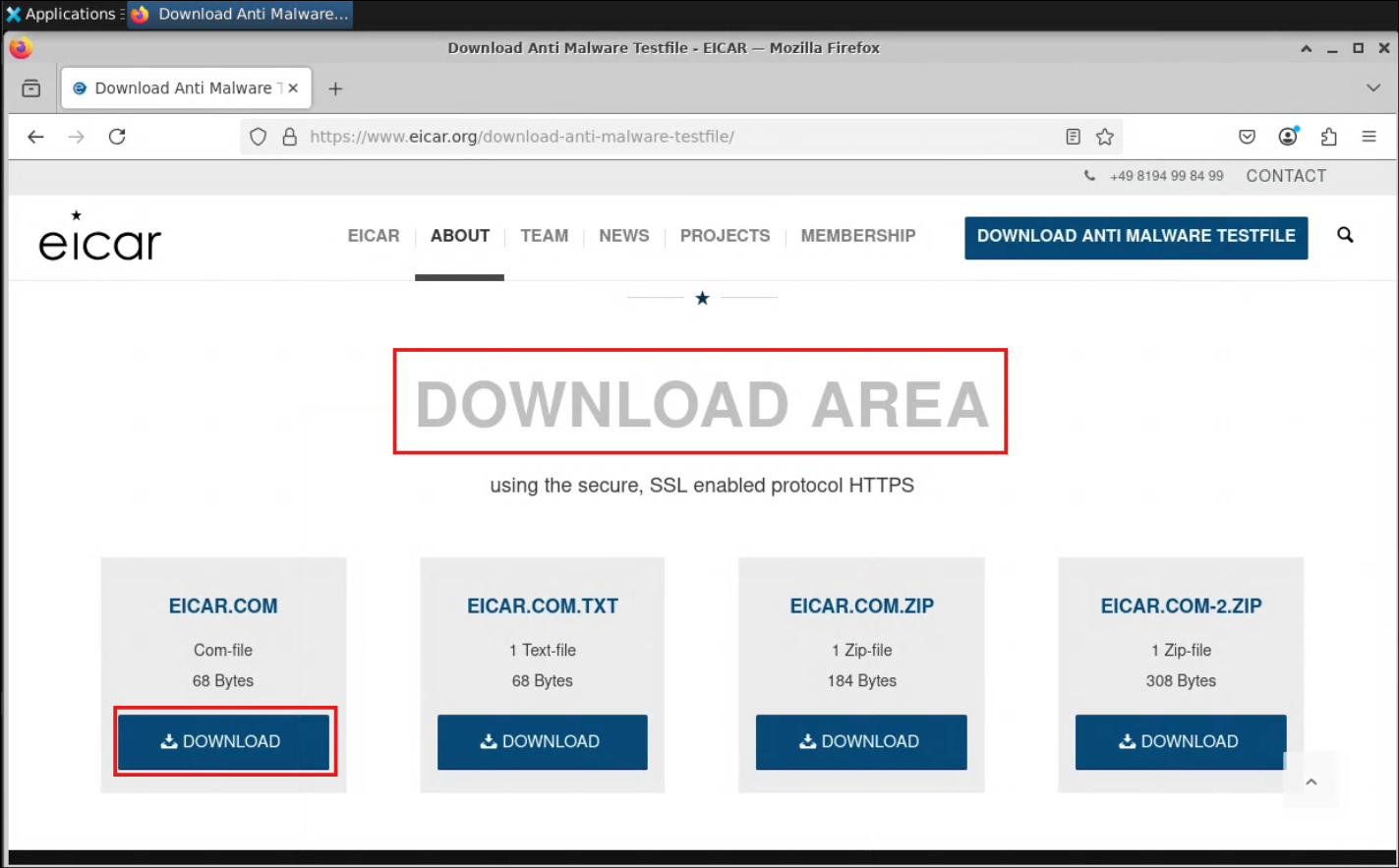
https://www.eicar.org/download-anti-malware-testfile/When the web page appears, hover the mouse pointer over the padlock icon on the address bar and verify that it displays Verified by: f5labs.com. This confirms that SSL Orchestrator is performing TLS interception for outbound traffic.
Scroll down to the section labeled DOWNLOAD AREA, and click on the DOWNLOAD button under EICAR.COM.
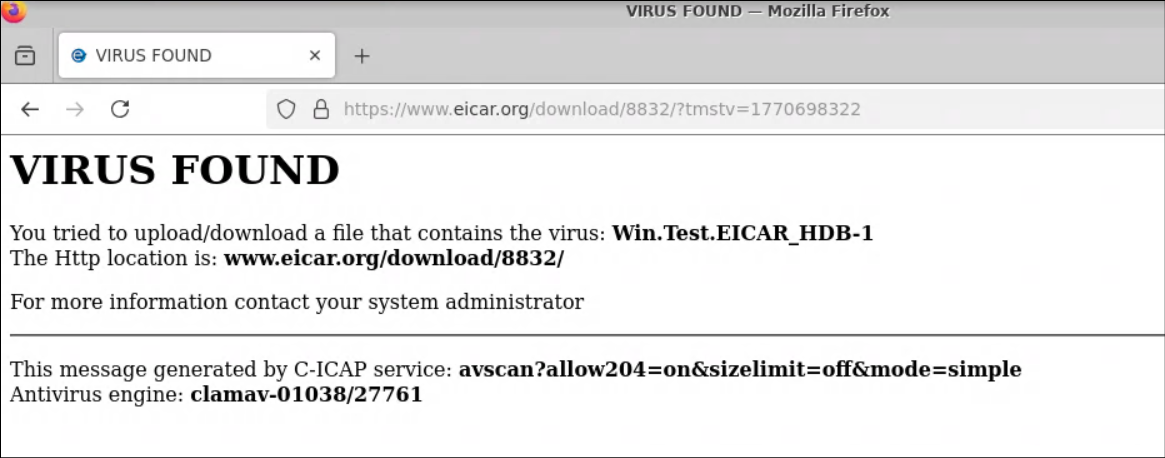
The download will be blocked because the TLS traffic was decrypted and the Antivirus (ICAP) Service detected a malicious file.
Note
The blocking response page was generated by the ClamAV Antivirus tool.
This the end of Lab 3.
You now have a working layer 3 outbound transparent forward proxy that is able to selectively decrypt user traffic and send it to a Service Chain containing 3 inspection Services (TAP, ICAP, and Inline L2).