F5 BIG-IP SSL Orchestrator Training Lab > All SSL Orchestrator Lab Guides > SSLO 203: F5 BIG-IP SSL Orchestrator: Plug, play, automate (AppWorld 2026 | 2 hours) > 3. Lab 2: DNS-over-HTTPS (DoH) Guardian Source | Edit on
3.2. Deploy DoH Guardian Configuration Objects
The Service Extension DNS-over-HTTPS (DoH) Guardian provides the functionality to detect DoH requests and apply policies for logging, management, and anomaly detection. There is a one-line script that we will use to deploy the necessary objects.
The script creates the following objects:
iRule:
doh-guardian-ruleSSL Orchestrator Service:
ssloS_F5_DoH
3.2.1. Download the installation script
From the UDF Deployment tab, access the web shell of the BIG-IP SSL Orchestrator resource. This will open a new browser tab with an SSH session (logged in as the root user).
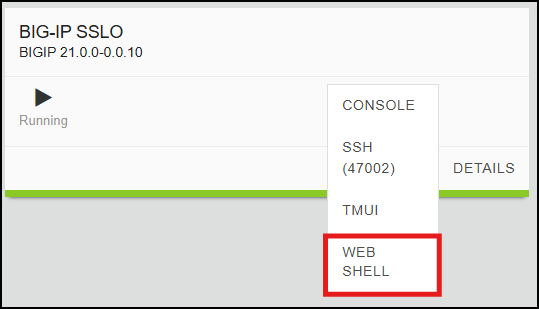
Change Directory to the /tmp directory:
cd /tmp
Download the installation script:
curl -sk https://raw.githubusercontent.com/f5devcentral/sslo-service-extensions/refs/heads/main/doh-guardian/doh-guardian-installer.sh -o doh-guardian-installer.sh
Tip
Click the copy icon in the URL text box above and paste it into the BIG-IP SSL Orchestrator - Web Shell session. If your local machine is Windows, press the <CTRL>-<SHIFT>-V combination to paste.
3.2.2. Run the Installation Script
Make the installation script executable:
chmod +x doh-guardian-installer.sh
Create a BASH environment variable containing the BIG-IP username and password:
export BIGUSER='admin:admin'
Run the installation script to create all of the DoH Guardian objects:
./doh-guardian-installer.sh
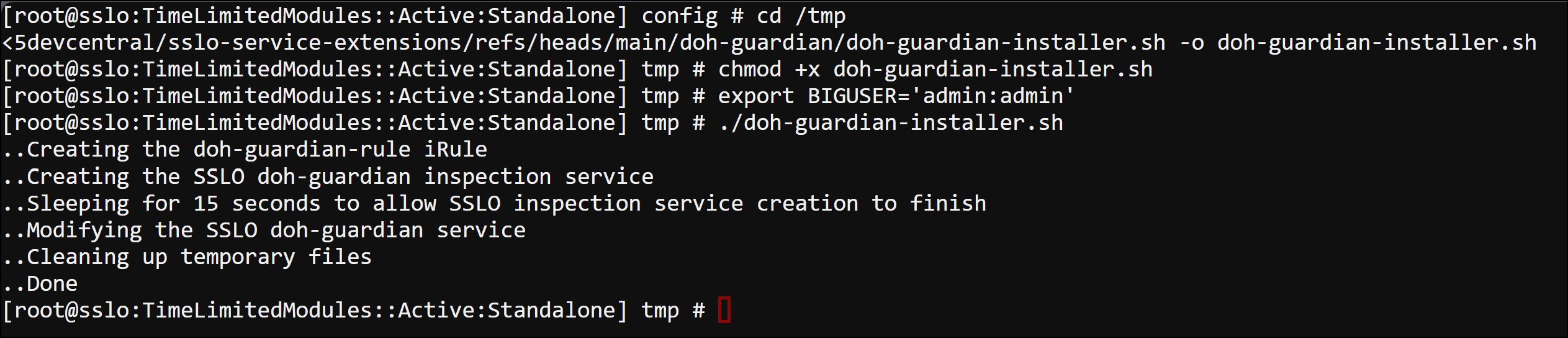
3.2.3. Verify Object Creation
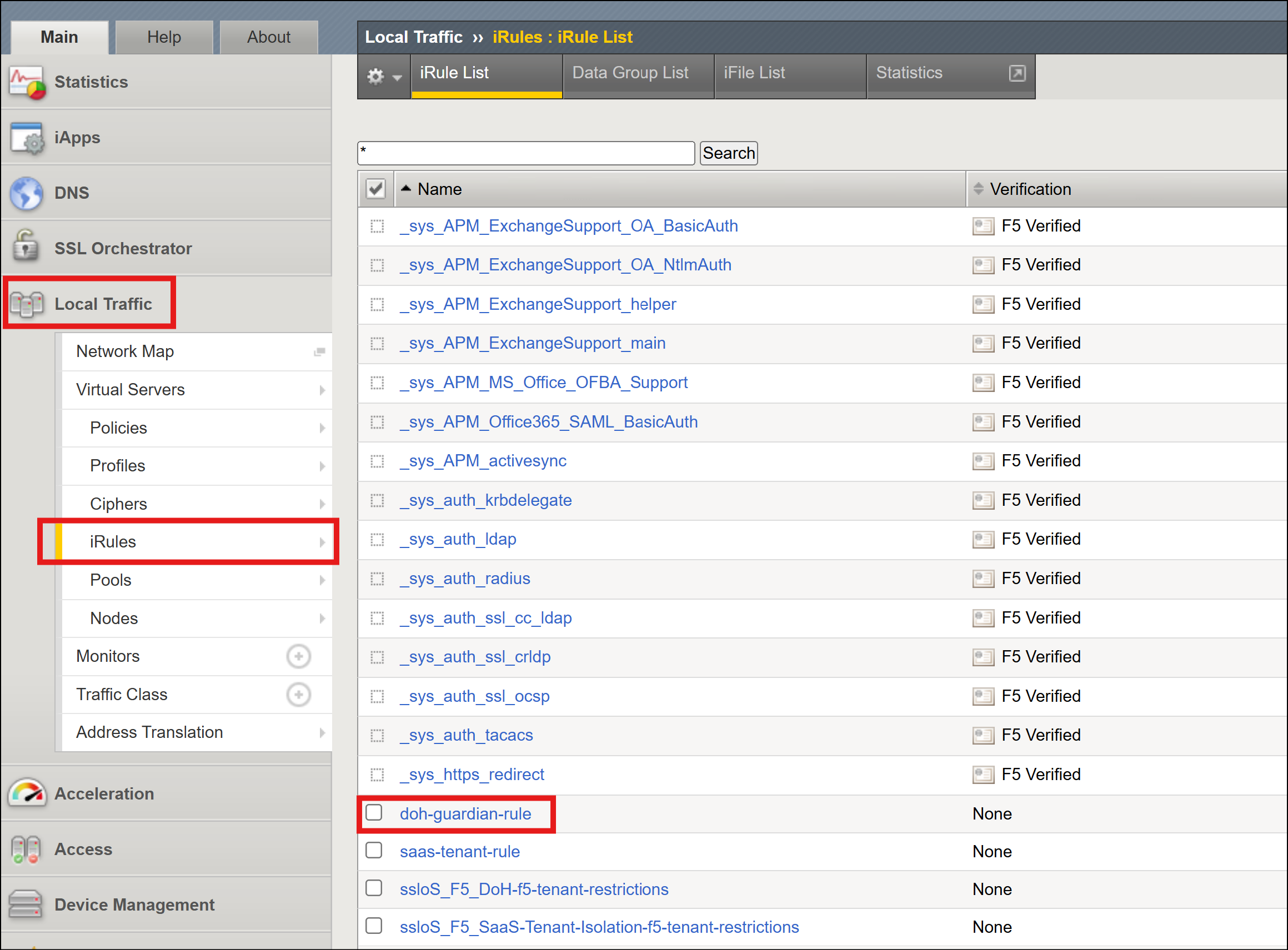
Return the BIG-IP TMUI page and navigate to Local Traffic > iRules and verify that the following iRules are present.
doh-guardian-rule
Navigate to SSL Orchestrator > Configuration. In the diagram, you should see the ssloS_F5_DoH Inspection Service icon (along with the other Services you previously deployed).
Click on the Services tab and verify that the ssloS_F5_DoH Inspection Service is present and shows no errors.
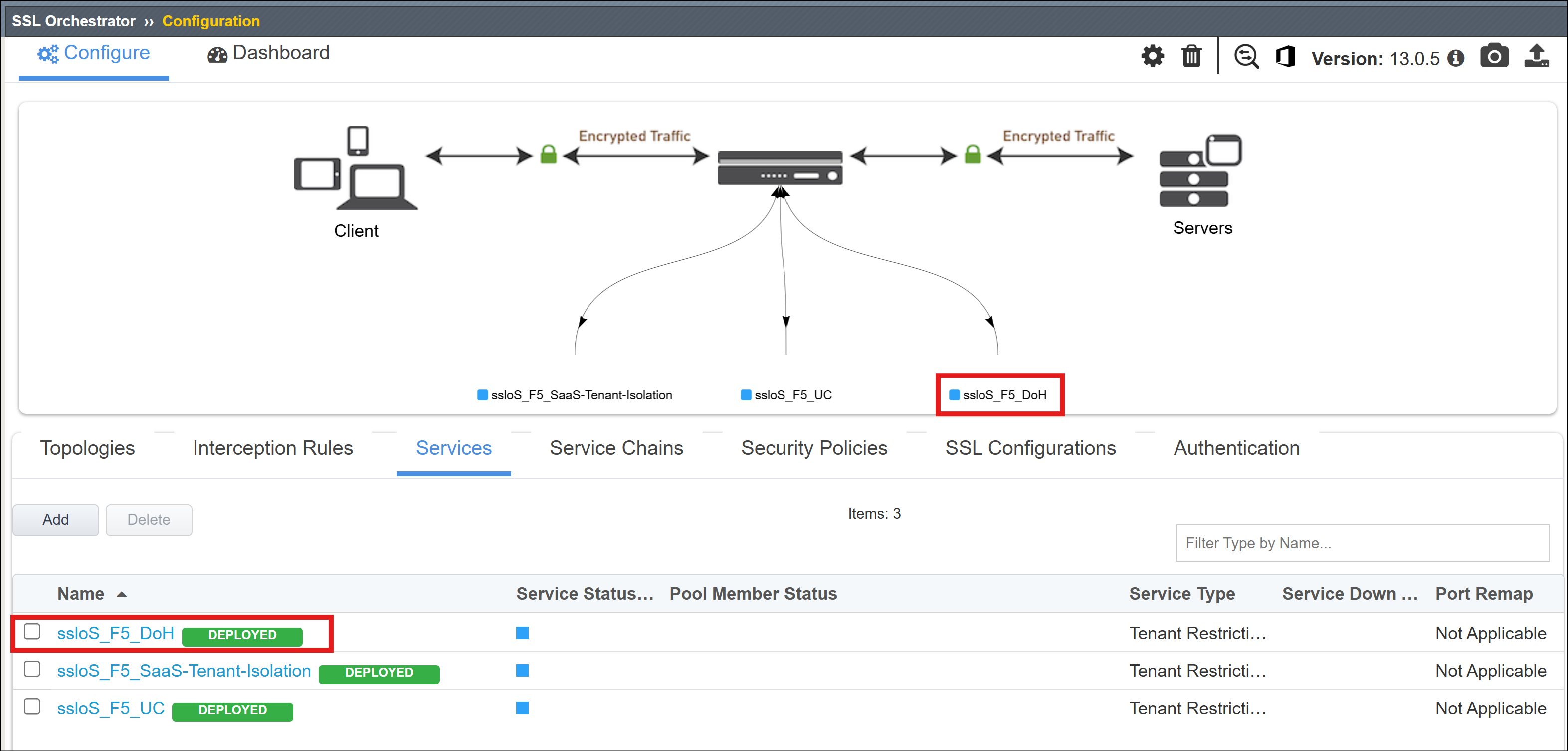
This completes the installation of the configuration objects needed to support the DoH Guardian Service Extension. In a later step, you will add the ssloS_F5_DoH Service to the existing Service Chain.