F5 BIG-IP SSL Orchestrator Training Lab > All SSL Orchestrator Lab Guides > SSLO 203: F5 BIG-IP SSL Orchestrator: Plug, play, automate (AppWorld 2026 | 2 hours) > 2. Lab 1: Outbound Transparent Forward Proxy with User Coaching Source | Edit on
2.4. Verify Outbound Topology Functionality
2.4.1. Route Client Traffic via BIG-IP SSL Orchestrator
In order to route outbound traffic through the BIG-IP SSL Orchestrator, you will need to confirm the default gateway on the Ubuntu-Client machine.
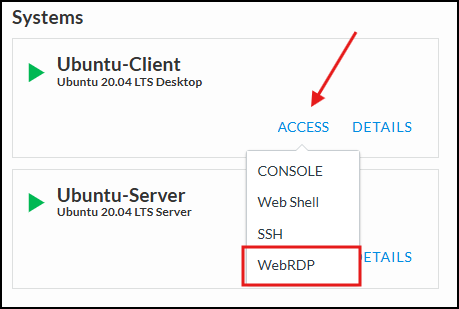
From the Deployment tab, click on the Access dropdown on the Ubuntu-Client resource, and select the WEBRDP option.
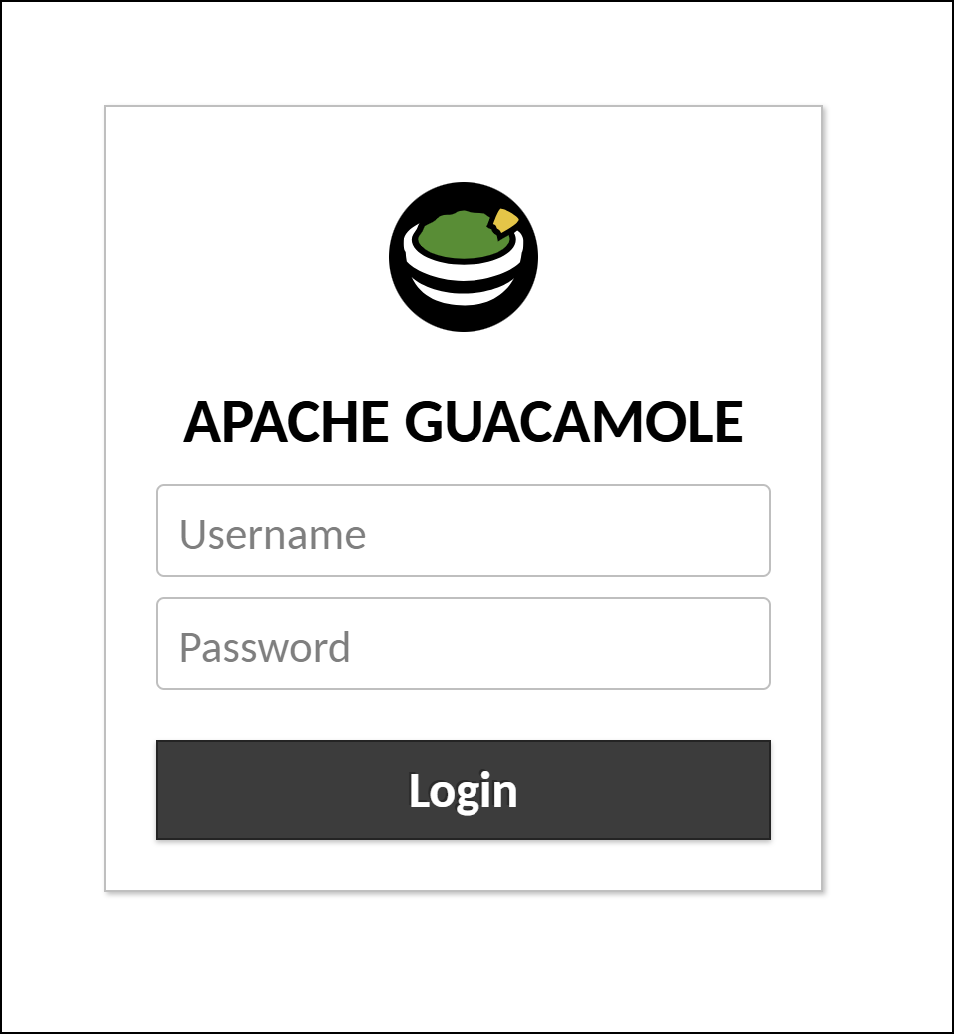
This will open a new tab in your browser. You will be prompted for username and password for Apache Guacamole. Enter the following credentials:
Username:
userPassword:
user
Click on the Terminal icon at the bottom of the screen to open a new Terminal shell session.

Confirm the default gateway is set to the BIG-IP SSL Orchestrator. Use the
ip routecommand to display the routing table. The default gateway should be10.1.10.7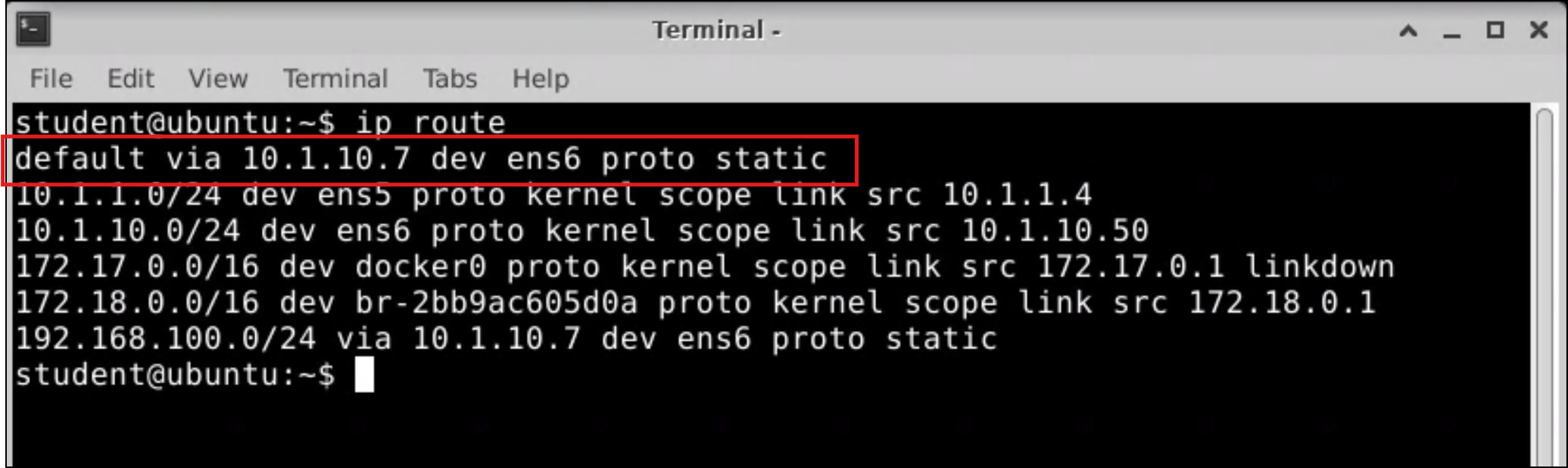
Close the Terminal window.
2.4.2. Test Internet Access
Open the Firefox or Chrome Browser from the bottom bar of the screen.
Navigate to https://www.f5.com.
Important
Do not continue if you cannot browse the Internet from the Ubuntu-Client machine. If you are not able to resolve this on your own, reach out to the lab instructor/assistants to help troubleshoot.
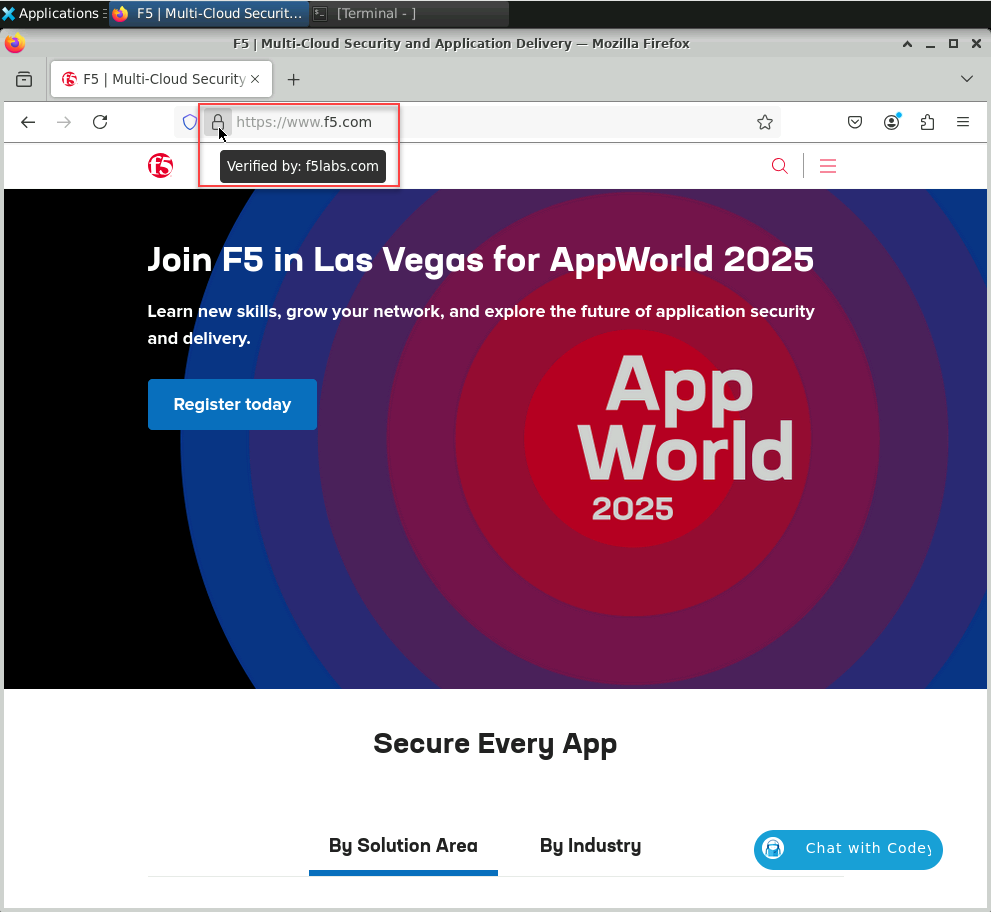
Hover the mouse pointer over the padlock icon on the address bar and verify that it displays Verified by: f5labs.com. This confirms that SSL Orchestrator is performing TLS interception (decrypt & inspect) for outbound traffic. The TLS certificate for https://www.f5.com was forged by the subrsa CA certificate, which is trusted by the client machine.
Now, test a generative AI web site. Navigate to https://chatgpt.com and verify that it is accessible without any restrictions.
Note
You will test this again after enabling the user coaching functionality.
This completes the basic L3 Outbound Topology configuration.