F5 BIG-IP SSL Orchestrator Training Lab > All SSL Orchestrator Lab Guides > SSLO 101: Introduction to SSL Visibility with SSL Orchestrator (AppWorld 2026 | 2 hours) > 3. Lab 1: Deploy an Outbound Transparent Forward Proxy Source | Edit on
3.10. Create Interception Rule

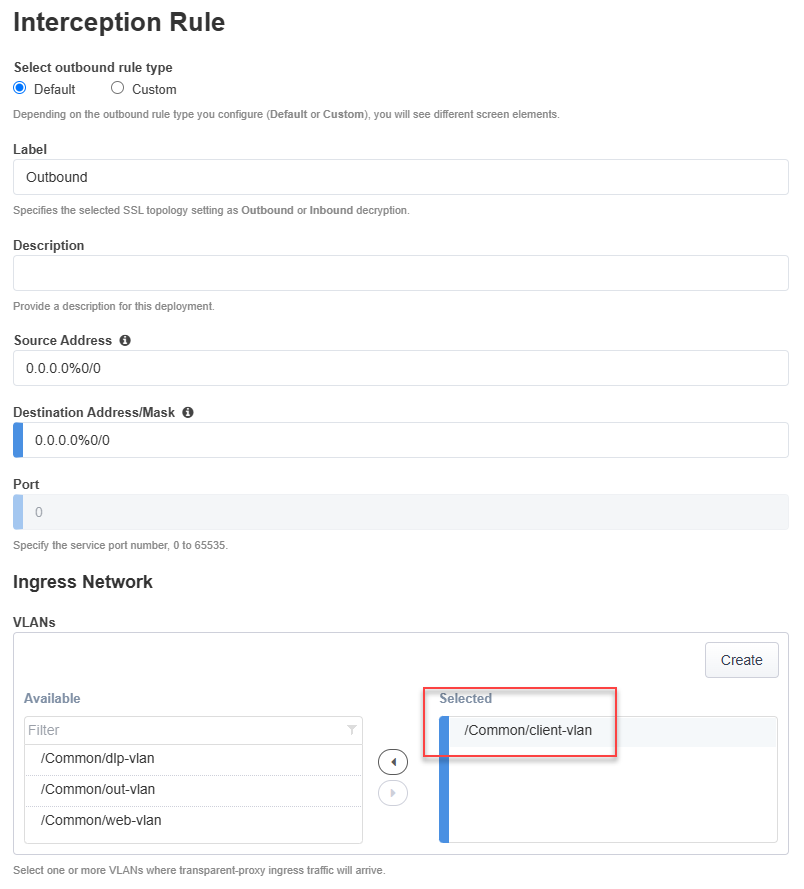
The Interception Rule determines which traffic to process. For an L3 Outbound topology, you will accept traffic on the client-facing interface that is destined for any IP address and any L4 port.
Leave the default Destination Address/mask value as
0.0.0.0%0/0.Leave the default Port as
0.In the Ingress Network section, select the client-side VLAN by either double-clicking on /Common/client-vlan or selecting it and then clicking on the right-facing arrow button.
Leave the default values for the remaining sections:
Protocol Settings
Security Policy Settings
Authentication
L7 Interception Rules
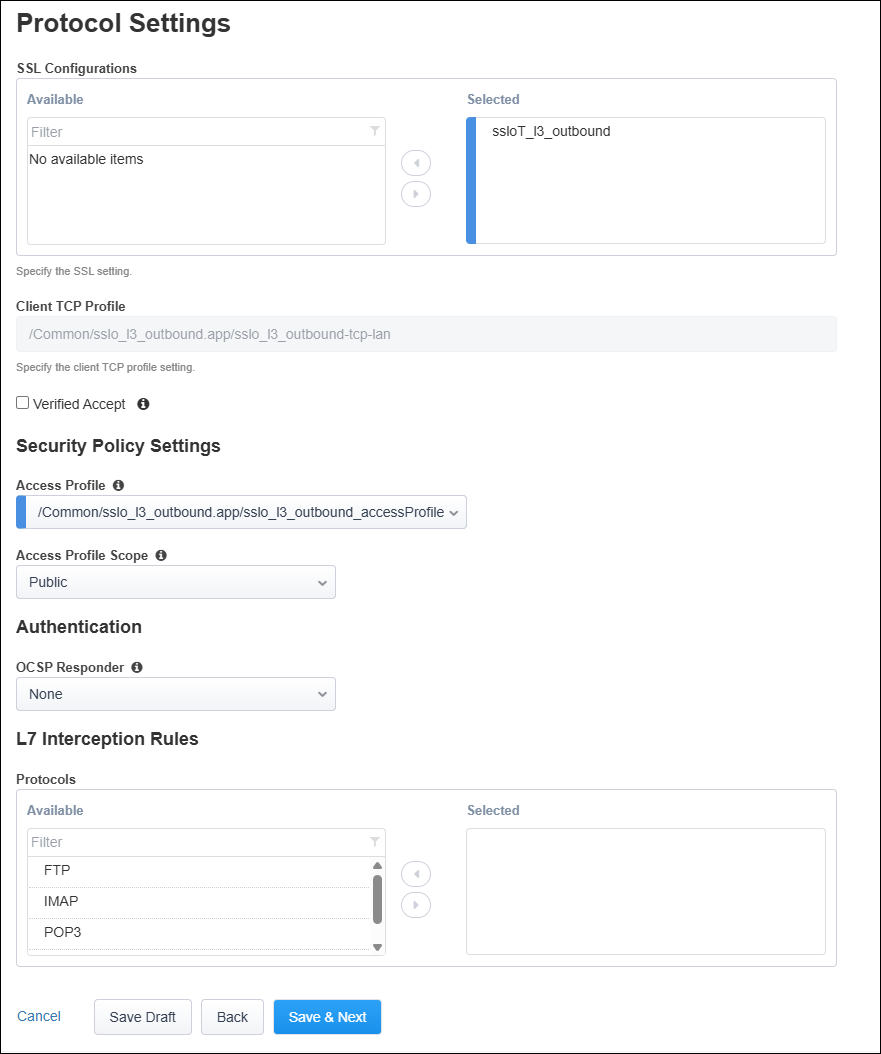
Click on the Save & Next button to continue.